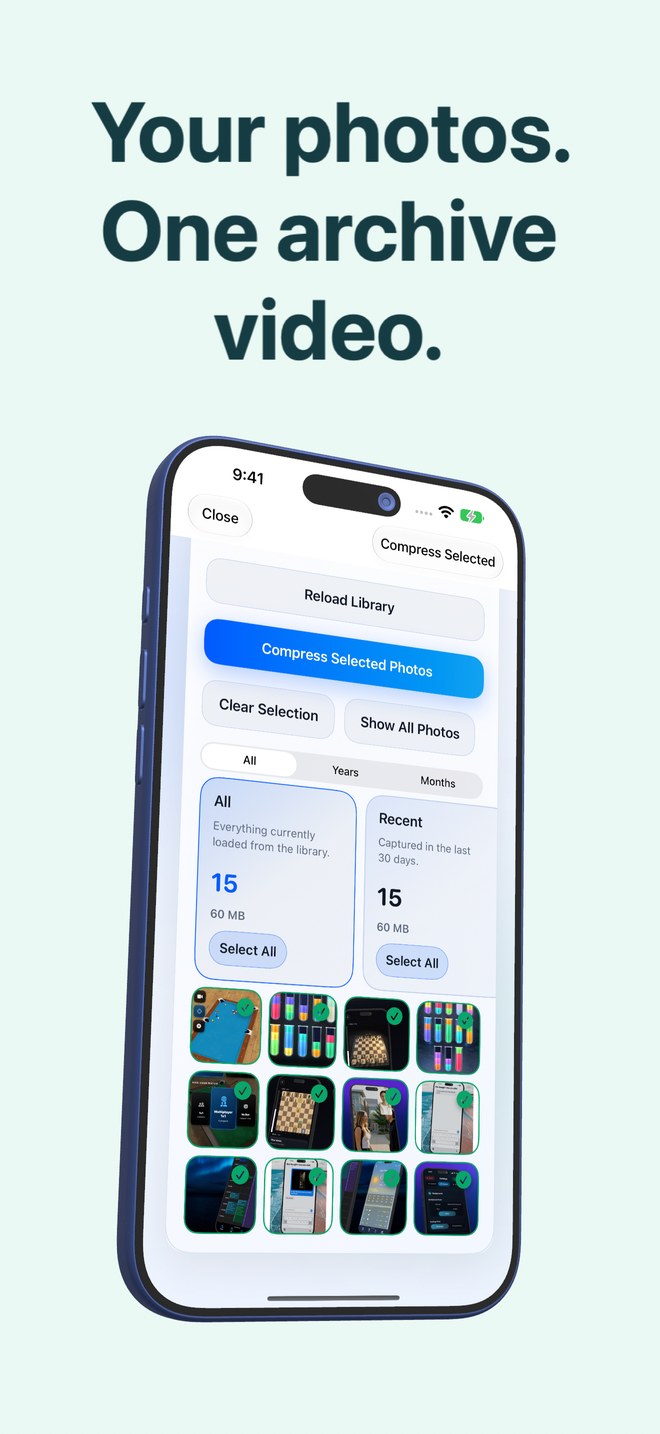
Photo2Video Archive vs ZIP archives in iPhone Files: HEVC video compression vs lossless DEFLATE
Compressing a folder of iPhone HEIC or JPEG photos into a `.zip` file inside Apple Files is 100% lossless—and shrinks total size by almost nothing, because each image is already entropy-compressed. Photo2Video Archive packs selected photos as frames of a lossy HEVC MP4 video to pursue smaller cold archives inside Apple Photos, trading bit-exactness in the video stream for visual frame compression and built-in frame browsing.
1. Why ZIP barely shrinks JPEGs and HEICs while HEVC can
Apple’s built-in "Compress" action in the Files app uses lossless DEFLATE compression. DEFLATE works wonders on plain text, CSVs or uncompressed BMP/TIFF files, but modern iPhone camera files (HEIC and JPEG) have already had redundant byte patterns stripped out. Wrapping 1,000 HEICs in a `.zip` mainly bundles them into one container at roughly 98–100% of their original footprint.
Photo2Video Archive encodes selected local photos as sequential frames of an HEVC MP4 video. Because HEVC is a lossy modern video codec capable of inter-frame prediction and visual quantization, the resulting archive video can use less space than the loose photos—and the app calculates the exact originals-vs-video numbers for every archive before you decide whether to delete anything.
| Technical property | Photo2Video Archive (HEVC MP4) | iOS Files Compress (.zip) |
|---|---|---|
| Underlying algorithm | Lossy HEVC video encoding (1 photo per frame) + embedded manifest | Lossless DEFLATE byte container |
| Typical space reduction on HEIC/JPEG | Varies by photo batch; exact savings computed & shown before deletion | Near zero (often 0–3%) on already-compressed camera images |
| Bit-identical file output | Video export is lossy re-encoded; byte-exact only while local app package exists | Yes — unzipping always returns byte-for-byte identical files |
| Where the archive lives | Saved directly in Apple Photos (+ local package in app folder) | Stored in Apple Files (On My iPhone or iCloud Drive) |
| Cost on iPhone / iPad | $3.99 one-time purchase (iOS 26+) | Free, built into iOS / iPadOS Files |
2. Browsing and restoring a single photo six months later
A 10 GB `.zip` file on an iPhone is awkward when you only want three photos back: Files typically extracts the entire archive into a new folder, temporarily doubling the storage required on a nearly full phone.
Photo2Video Archive embeds its photo map—names, dates and Live Photo pairings—inside the MP4 file. Opening the archive in the Decompression screen displays visual frame thumbnails so you can tick just the three images you want and tap Export Selected to Photos without unpacking thousands of other images.
| Workflow step | Photo2Video Archive | iOS Files .zip Archive |
|---|---|---|
| Selecting photos by category | Built-in stacks: duplicates, large, recent, screenshots, receipts, travel, pets | Manual multi-select in Photos → Export to Files → Compress |
| Previewing contents later | Visual frame picker reads embedded manifest inside the app | Opaque .zip icon until extracted or quick-looked one by one |
| Restoring 3 photos out of 2,000 | Tick 3 frames → Export Selected to Photos (or Restore Selected if package exists) | Unzip whole archive in Files, doubling peak free-space need |
| Live Photos & panoramas | Live Photo pairings & panoramas handled by the archive workflow | Exporting to Files often splits .HEIC + .MOV pairs manually |
3. When you must use lossless ZIP (and when HEVC wins)
Never use a lossy HEVC video as your sole copy of tax records requiring forensic byte integrity, ProRAW negatives destined for heavy color grading, or client deliverables. Use lossless `.zip` on an external SSD for exact file bundling, and use Photo2Video Archive for everyday camera-roll clutter where compact on-device storage and selective frame export matter more than identical file hashes.
| Use case | Best fit | Why |
|---|---|---|
| Bundling client RAW/JPEG deliverables onto a drive unaltered | iOS Files .zip (or direct folder export) | Guarantees zero generation loss and identical checksums |
| Shrinking 3,000 old screenshots, chats or trip photos in Photos | Photo2Video Archive | Lossy HEVC shrinks visual batches that ZIP cannot compress further |
| Pulling back 2 specific photos on a low-storage iPhone | Photo2Video Archive | Selective frame export avoids unzipping an entire multi-gigabyte archive |
| Zero-cost temporary file transfer via email or AirDrop | iOS Files .zip | Preinstalled on every Apple, Windows and Android device without extra software |
Why didn’t zipping my iPhone photos save space?
HEIC and JPEG photos are already heavily compressed image formats. Lossless ZIP only removes leftover byte redundancy, which is nearly zero in camera files.
Does Photo2Video Archive guarantee a specific compression ratio?
No. Savings depend on the resolution, format and visual similarity of your selected photos. The app encodes and verifies the archive first, then displays the exact originals size versus video size before you choose whether to delete originals.
Can I unzip a Photo2Video Archive file without the app?
The archive is a playable MP4 video in Apple Photos, so any player can play the video frames, while Photo2Video Archive reads the embedded manifest to export selected images cleanly.
How do I keep exact originals if I also use Photo2Video Archive?
Keep an independent backup of important originals, or retain the app’s local originals package on the device that created the archive (remembering that local package uses app storage and is removed if you delete the app).