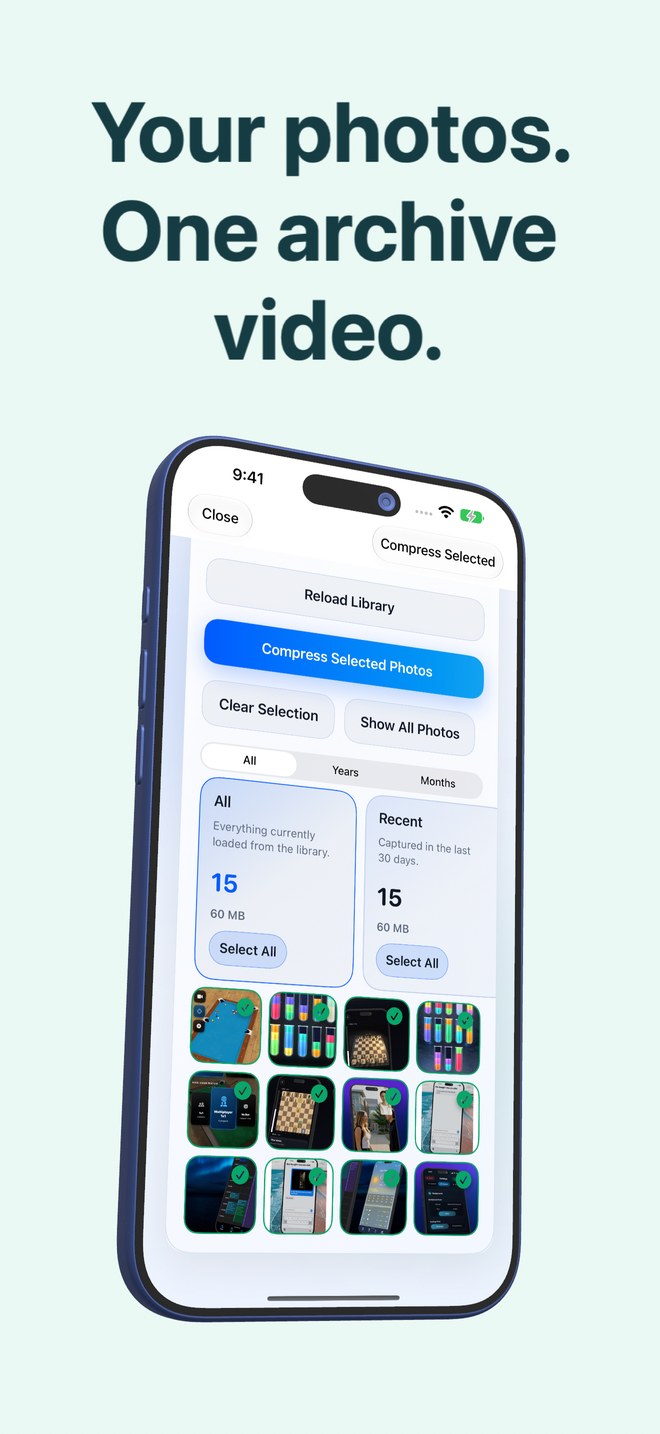
Photo2Video Archive vs Google Photos on iPhone: on-device HEVC archives vs Google One cloud quotas
Google Photos excels when you want cross-platform web search, facial grouping and off-site cloud backup across Android, iOS and desktop browsers. Photo2Video Archive ($3.99 once) is built for iPhone and iPad users who want zero cloud uploads, no Google account quota shared with Gmail and Drive, and compact HEVC archive videos stored directly inside Apple Photos.
1. On-device privacy and account quotas compared
Every photo backed up to Google Photos after Google’s 15 GB free allowance counts against the same Google Account quota used by Gmail attachments and Google Drive documents, pushing heavy photographers onto recurring Google One plans. Recognition, indexing and Storage Saver recompression run on Google’s cloud infrastructure.
Photo2Video Archive has no user account and no Arte Soft cloud servers. Selection stacks—including on-device image and text recognition for chats, invoices, documents, QR codes, screenshots, travel, pets, food, nature and city—run locally on your iPhone or iPad.
| Feature | Photo2Video Archive | Google Photos (iOS) |
|---|---|---|
| Account required | None — no sign-in, no email, no cloud account | Google Account required for cloud backup & sync |
| Where image recognition runs | On your iPhone or iPad | Primarily on Google cloud servers after upload |
| Shared quota pressure | None — uses local storage / Apple Photos | Shares 15 GB free quota with Gmail and Google Drive |
| Supported platforms | iPhone and iPad (iOS 26 / iPadOS 26+) | iOS, Android and web browsers |
| Payment model | $3.99 one-time App Store download | Free up to 15 GB shared, then recurring Google One plans |
2. Lossy HEVC video packing vs Google Storage Saver
Google Photos offers two upload modes: Original quality (byte-exact up to plan limits) and Storage Saver (lossy per-image recompression, plus resolution caps on very high-megapixel files). Even in Storage Saver, thousands of older photos remain thousands of individual cloud items.
Photo2Video Archive packs a chosen batch of local photos into one verified HEVC MP4 video (one photo per frame) with an embedded manifest of names, dates and Live Photo pairings. Exporting frames from that video produces full-resolution re-encoded images (lossy HEVC), while byte-exact restoration is available from the app’s local originals package as long as the app remains installed on the creating device.
| Capability | Photo2Video Archive | Google Photos Storage Saver |
|---|---|---|
| Compression format | Multi-frame HEVC MP4 archive video + embedded manifest | Per-photo lossy cloud recompression |
| Camera roll consolidation | Collapses hundreds or thousands of photos into 1 archive video in Photos | Free Up Space removes local copies, leaving photos cloud-only |
| Offline viewing & restore | Open archive & export frames completely offline on device | Requires internet to download offloaded cloud photos |
| Byte-exact original option | Available via local originals package on creating device while app stays installed | Available only if uploaded in Original quality mode |
| Savings transparency | Shows exact originals size vs archive video size before deletion | Shows remaining Google Account cloud quota |
3. Choosing the right workflow for your library
If your priority is surviving phone theft or sharing live albums with Android relatives, cloud backup such as Google Photos or iCloud+ solves off-site redundancy. If your priority is compacting local screenshot piles, old trip bursts and cold years without uploading personal photos to Google or paying monthly rent, Photo2Video Archive handles that locally.
| Goal | Recommended tool | Key reason |
|---|---|---|
| Archiving private documents, chats & old bursts 100% offline | Photo2Video Archive | On-device encoding & manifest; nothing sent to external servers |
| Sharing synced albums with Android & web users | Google Photos | Cross-platform web links and collaborative cloud albums |
| Stopping Gmail "storage full" warnings caused by camera uploads | Photo2Video Archive (local) or separate backup | Keeps cold photo archives off your 15 GB Google quota |
| Protecting irreplaceable master files against house fire or loss | Original-quality cloud + external SSD | A lossy local HEVC video alone is not an off-site disaster backup |
Does Photo2Video Archive upload my photos to a server like Google Photos?
No. Photo selection, text/content grouping, HEVC encoding, verification and restoration all run locally on your iPhone or iPad.
Can I back up a Photo2Video Archive MP4 file to Google Photos or Google Drive?
Because the archive is a standard MP4 file saved in Apple Photos with its manifest embedded inside, you can copy it anywhere. Keep in mind that if a cloud service re-encodes the video (such as Storage Saver), the embedded archive payload or frame quality could be altered—store archive files unmodified if backing them up.
Which preserves exact original photo bytes?
Google Photos preserves exact bytes when set to Original quality. Photo2Video Archive’s video is lossy HEVC, though its local archive package preserves byte-exact originals on the creating device while the app remains installed.
How much does Photo2Video Archive cost compared with Google One?
Photo2Video Archive is a $3.99 one-time purchase on the US App Store with no subscription, whereas Google One charges recurring monthly or annual fees above 15 GB.