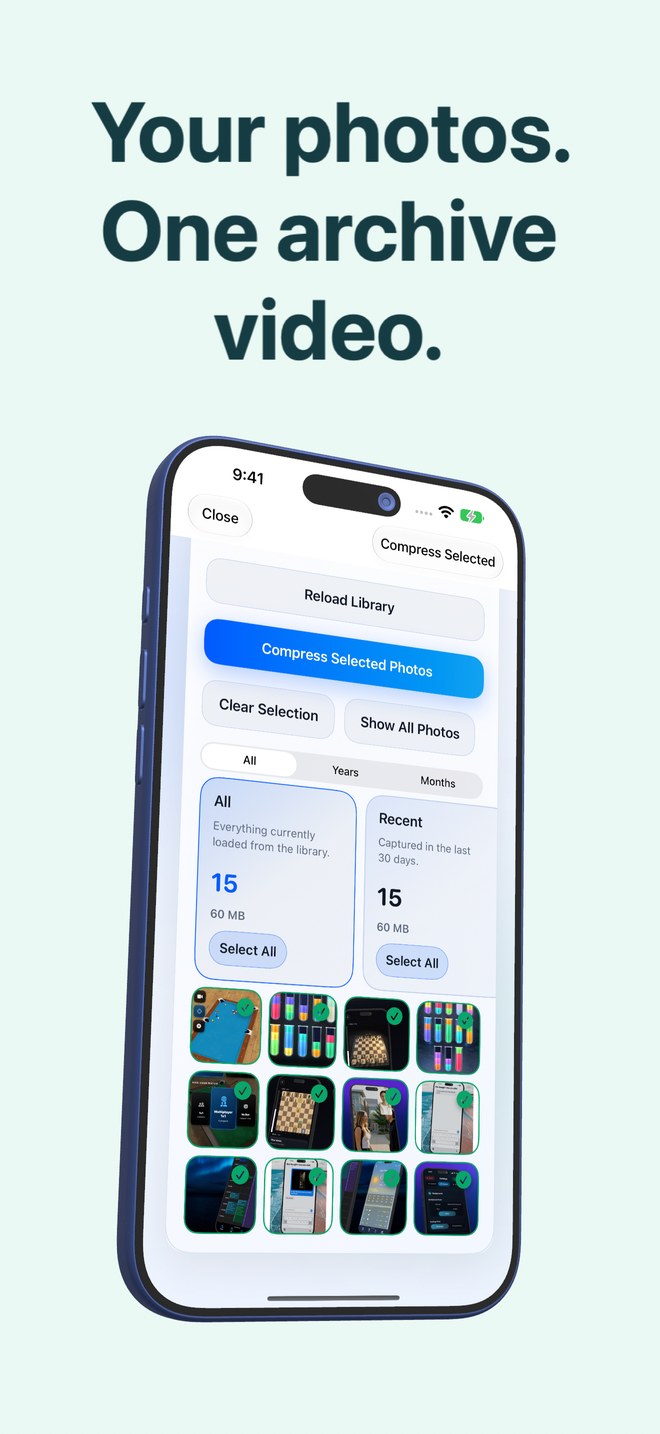
Photo2Video Archive vs single-photo JPEG & HEIC compressors: one archive video vs thousands of re-saved files
Traditional iPhone photo-compressor apps shrink each image individually and write thousands of separate lower-quality JPEGs or HEICs back into your Camera Roll—leaving your gallery just as crowded as before. Photo2Video Archive ($3.99 once) consolidates an entire selected batch into one verified HEVC MP4 archive video with an embedded manifest, so your main library gets cleaner while individual frames remain exportable later.
1. Inter-frame video container vs per-image re-saving
Both single-photo compressors and Photo2Video Archive rely on lossy re-encoding when shrinking camera files. The structural difference is what happens across a batch: a per-image compressor encodes Photo 1 in isolation, Photo 2 in isolation, and so on, leaving 2,000 separate thumbnails in Recents.
Photo2Video Archive places selected local photos sequentially into an HEVC MP4 container—one photo per frame—with an embedded manifest recording names, dates and Live Photo pairings. HEVC can take advantage of modern video coding across frames while collapsing the whole batch into a single archive item inside Apple Photos.
| Aspect | Photo2Video Archive | Single-Photo JPEG/HEIC Compressors |
|---|---|---|
| Output in Apple Photos | 1 verified HEVC MP4 archive video per batch | Thousands of separate re-saved JPEG or HEIC files |
| Compression approach | Multi-frame HEVC video container + embedded photo map | Independent single-image lossy re-compression |
| Camera roll clutter | Dramatically reduced once verified originals are removed | Unchanged — same number of thumbnails to scroll past |
| Live Photo handling | Records Live Photo pairings; byte-exact restore via local package | Frequently flattens Live Photos into static still images |
| Exact-original fallback | Restore Selected uses byte-exact originals while local app package exists | Usually none once originals are deleted and Recently Deleted is cleared |
2. Selection intelligence and verification workflow
Batch photo compressors often ask you to pick a blind quality slider (such as "60% quality") and overwrite or duplicate whole albums at once. Photo2Video Archive organizes local photos into review stacks first—recent, portrait, landscape, large files, duplicates, plus on-device recognition groups like screenshots, chats, invoices, documents, QR codes, travel, pets, food, nature and city.
After encoding, Photo2Video Archive verifies the archive before saving it to Photos, warns you not to delete the archive video, and shows the exact arithmetic (originals size, video size and potential Photos space freed) with a clear Keep Originals option.
| Workflow detail | Photo2Video Archive | Typical iOS Photo Compressor Apps |
|---|---|---|
| Smart selection stacks | Duplicates, large files, years/months & 10 on-device content groups | Usually manual album picker or size-only filter |
| Post-encode verification | Archive verified before saving; arithmetic displayed prior to deletion | Rarely verifies every output before prompting to delete originals |
| iCloud placeholder safety | Skips non-local iCloud items instead of triggering surprise downloads | Often downloads gigabytes from iCloud mid-batch or fails silently |
| Pricing model | $3.99 one-time paid download, no subscription | Commonly $3.99–$7.99/week or $29.99+/year subscriptions |
3. When separate compressed images still make sense
If you need 50 photos to remain directly visible in your everyday Recents grid—for instance, to attach immediately inside Instagram, Messages or Mail without exporting frames first—per-image downsizing keeps them as ordinary stills. When archiving cold trips, old projects or reference screenshots you rarely open, consolidating them into one restorable HEVC archive video is far cleaner.
| Task | Better tool | Reason |
|---|---|---|
| Shrinking 10 photos to email under a 25 MB attachment cap right now | iOS Mail image resize or single-photo resizer | Recipients need standard loose JPEGs, not an archive video |
| Packing 4,000 cold photos from 2022 into one tidy archive | Photo2Video Archive | Collapses gallery clutter into 1 verified video with frame export |
| Keeping active everyday photos visible in Apple Photos Memories | Keep originals or light per-image resize | Archived frames live inside the archive video until exported back |
| Avoiding weekly subscription traps for utility tools | Photo2Video Archive ($3.99 once) | Single upfront App Store purchase with zero recurring fees |
Are both Photo2Video Archive frame exports and JPEG compressors lossy?
Yes. Exporting frames from an HEVC archive video re-encodes the image, just as lowering JPEG or HEIC quality does. Only keeping original files (via an independent backup or the app’s local originals package while installed) is lossless.
Do archived photos still clutter my main Apple Photos grid?
Once you verify the archive and choose to remove the loose originals (and after Apple Photos’ 30-day Recently Deleted period), only the single archive video remains in your library until you export specific frames back.
Can I inspect how much space a batch actually saves before deleting originals?
Yes. Photo2Video Archive computes the exact size of your selected originals and the finished archive video for each batch and always offers a Keep Originals button.
Does Photo2Video Archive work on both iPhone and iPad?
Yes, it runs natively on iPhone and iPad with iOS 26 / iPadOS 26 or later.