For iPhone and iPad

Your photos.
One archive video.

Choose photos, create an HEVC archive video and save it in Photos. Open the archive to export selected frames later. Keep the local originals package when you need byte-exact restoration.

Paid download, with no subscription. · iOS 26 · iPadOS 26

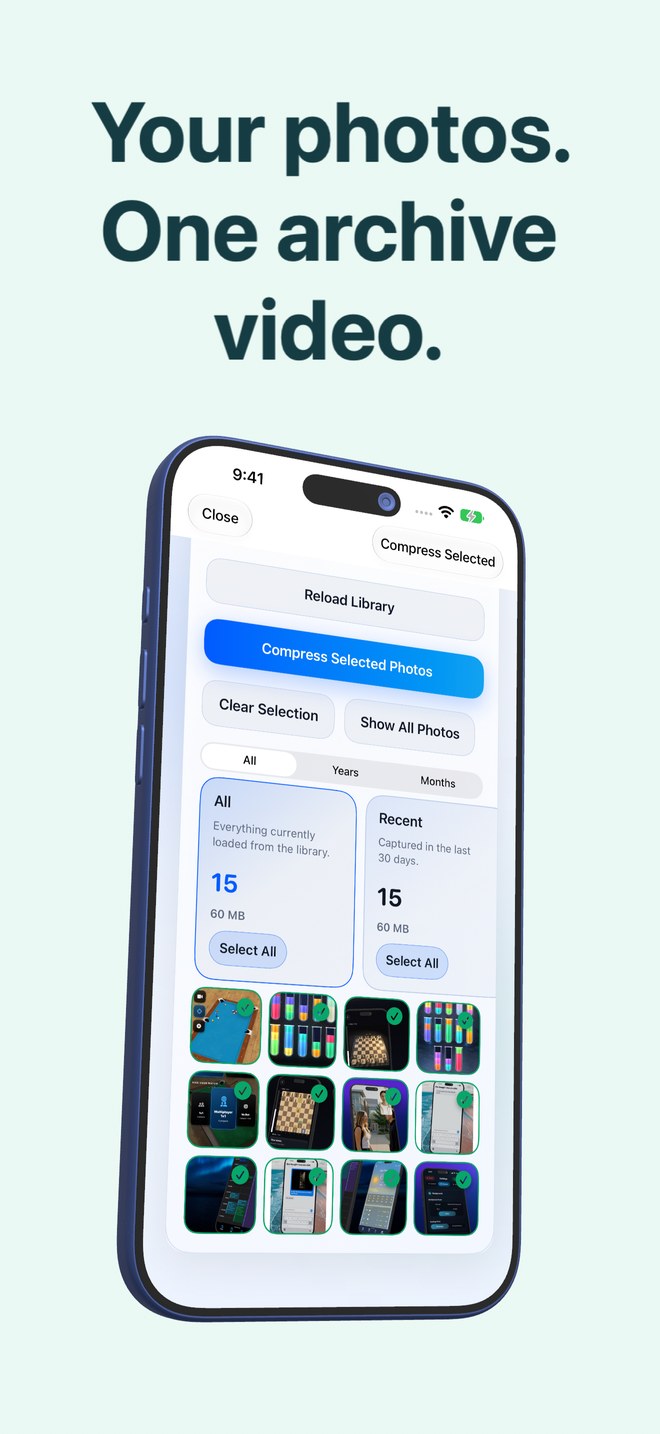
Photo2Video Archive on iPhone showing selected photos ready to archive.
  • Selected photos become frames in an HEVC archive
  • Archive video saved in Photos
  • Export selected frames back to your library
  • Exact originals require the local archive package
  • Photo processing on your device

What it does

Two workflows: compress, and decompress.

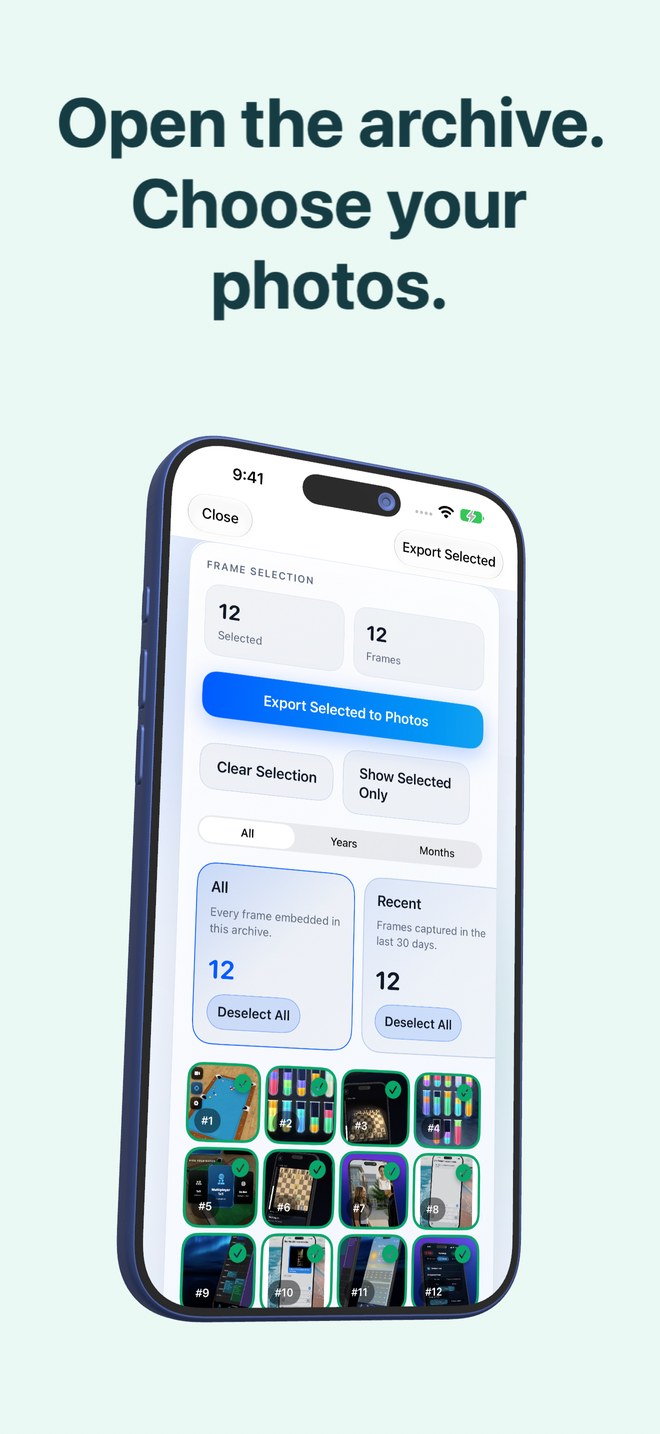
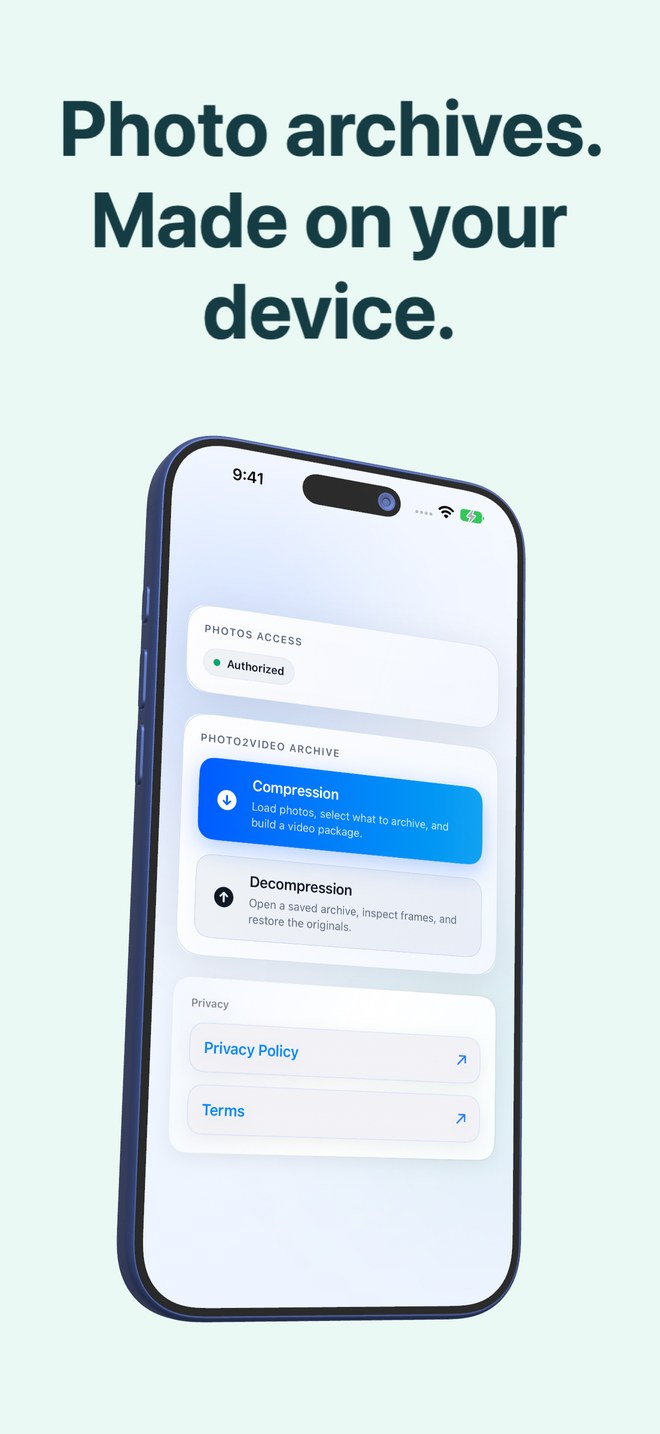
The home screen has two buttons. Compression loads your library, lets you choose, and builds the video. Decompression opens an archive video, shows its frames, and puts back the ones you ask for.

Choose what to archive

Choose what to archive

The library loads with counters for selected and total, and review stacks that make choosing fast: everything, the last thirty days, portrait, landscape, large files, duplicates, and content groups the app finds by reading the images on the device: chats, invoices, documents, QR codes, screenshots, travel, pets, food, nature, city. Each stack has a Select All. Only photos that are fully on the device are shown; anything still in iCloud is left alone.

  • Stacks: recent, portrait, landscape, large, duplicates
  • Content groups from on-device image and text recognition
  • Years and months filters, Show Selected Only
  • Photos still in iCloud are skipped, not guessed at
An HEVC video, one photo per frame

An HEVC video, one photo per frame

Selected photos become frames of an HEVC MP4 archive. HEVC is lossy: an image exported from the video is re-encoded. The app verifies the archive and saves it to Photos. iCloud synchronisation depends on your Apple settings and available storage.

  • HEVC archive in an MP4 file
  • Archive verified before saving
  • Actual results depend on the selected photos
The archive carries its own map

The archive carries its own map

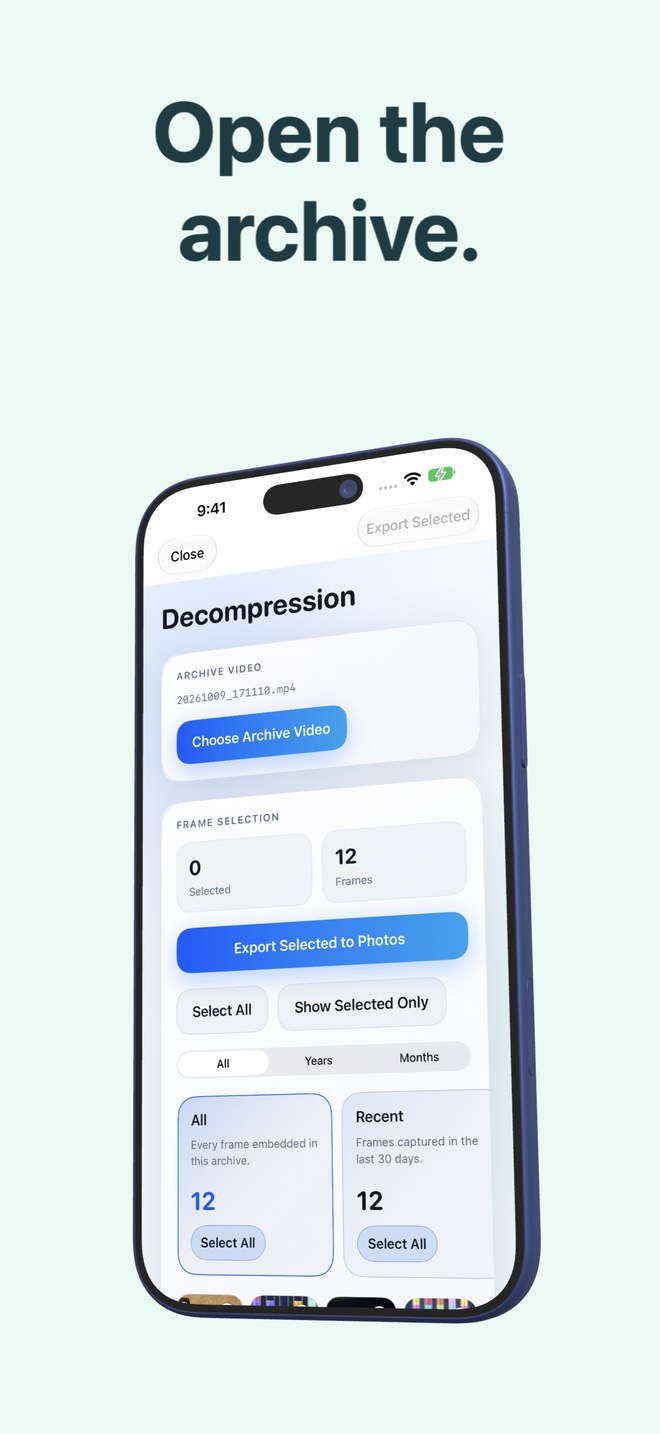
The list of photos, their dates, names and Live Photo pairings is written into the video file itself, so an archive video opened from Photos on any device with the app knows what it contains. The Decompression screen lists only videos with a valid embedded archive payload.

  • Manifest embedded in the video
  • Opens from Photos on any device with the app
  • Only real archives appear in the picker
Restore frames, or the exact originals

Restore frames, or the exact originals

Open an archive, tick frames, tap Export Selected to Photos: each frame is decoded and saved back as an image. While the archive's originals package is still in the app, Restore Selected puts back the byte-exact original files instead, with their names, dates and Live Photo videos. Deleting the app deletes that package, so restore what matters before you do.

  • Any frame back to Photos as an image
  • Exact originals with names, dates and Live Photos while the package exists
  • Live Photos and panoramas handled
Delete originals with the numbers in front of you

Delete originals with the numbers in front of you

When an archive is saved, the app first reminds you not to delete the archive video, then shows the arithmetic: what the originals use, what the video uses, and what Photos would free. You can keep the originals. Deletion runs through the system Photos sheet, and deleted items stay in Recently Deleted for thirty days.

  • Savings computed per archive, not promised
  • Keep Originals is always a button
  • Photos confirmation, Recently Deleted for 30 days
One download, no recurring plan

One download, no recurring plan

Paid download, with no subscription.

  • No subscription
  • No free trial or recurring renewal
  • Check the App Store for the current version

Who it is for

For people who want a more organised photo archive.

The full 128 GB
Review older photos in small batches. Compare archive size with the originals and verify a restore before deciding what to remove.
A careful archive workflow
Start with a small selection. Verify the archive and restore a few images before considering deletion. Keep a separate backup of important originals.
The screenshot hoarder
Screenshots, chats and receipts have their own selection stacks. Group a chosen set in an archive video, then review what to keep.
Not for
Videos, or a library that lives in iCloud and not on the device. The app only sees what is stored locally.

A single purchase

Pay once to download. No subscription.

Paid download, with no subscription.

Paid download

$3.99 one time

  • Choose photos and create archive videos
  • Preview archives saved in Photos
  • Export selected frames to your library
  • Restore originals while the local package exists

Apple shows the price for your region before purchase.

There is no recurring plan to manage, no advertising and no in-app purchase screens.

Pricing →

Questions

Asked often enough to write down.

Is the archive lossless?

The video is HEVC, which is lossy, so a frame exported back from the video is a re-encoded image, at full resolution by default. The byte-exact originals are kept in the app's archive package as long as the app is installed, and Restore Selected uses them; that path is lossless. If the app is deleted, the package goes with it and only the video remains.

What should I never delete?

The archive video in Photos. If you delete it and have already deleted the originals, those photos are gone. The app says this in a dialog every time an archive is saved.

How much space will I save?

It depends on the photos, so the app computes it for each archive and shows the figure before you delete anything: what the originals use, what the video uses, and the difference. No fixed percentage is promised.

Does anything leave my phone?

Photo processing takes place on your device. Photos and recognised text are not uploaded to our servers. If you use an older ad-supported build, its advertising provider may still use the network. iCloud Photos is a separate Apple service.

Why does the library look smaller than in Photos?

The app only lists photos stored fully on the device. If iCloud Photos keeps optimised copies, those originals are not local and are skipped rather than downloaded.

Can I open an archive on another device?

Yes. The archive video carries its manifest inside the file, so the app on another device can read it from Photos and export its frames. Byte-exact restore needs the originals package, which stays on the device that made the archive.

Is this a subscription or a free trial?

Paid download, with no subscription. Apple shows the exact local download price before you buy.

Review your library, your way.

See the current version and local purchase price on the App Store. Keep a separate backup of important photos.

Download on theApp Store