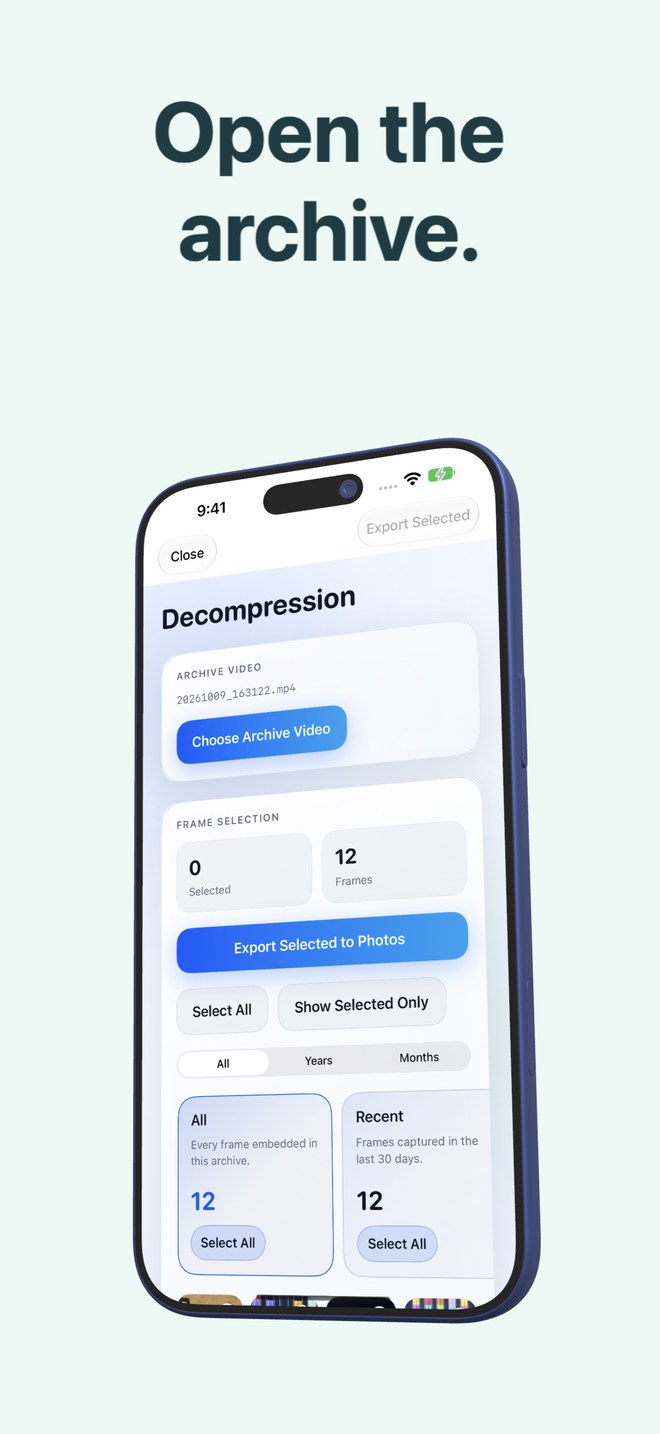
Photo2Video Archive vs external USB-C SSDs for iPhone: on-device software archiving vs pocket hardware backups
An external USB-C SSD ($70–$200) is the gold standard for offline, byte-exact lossless backup of original camera files and large 4K videos outside your phone. Photo2Video Archive ($3.99 once) solves the complementary problem: compacting thousands of older still photos into restorable HEVC archive videos that stay right on your iPhone or iPad with no cables, dongles or drives to carry.
1. Hardware lossless backup vs cable-free on-device archiving
Plugging a portable NVMe USB-C SSD (such as a Samsung T7, Crucial X9 or SanDisk Extreme) into a modern USB-C iPhone or iPad lets you export untouched HEIC, JPEG, ProRAW and 4K ProRes video files through Apple Photos and Files. Every byte stays identical, and deleting local copies afterwards frees 100% of that space on your phone—at the cost of losing instant pocket access whenever the drive is in a drawer at home.
Photo2Video Archive requires zero extra hardware and works identically on Lightning and USB-C iPhones and iPads running iOS 26+. Your archived photos remain searchable by batch and exportable frame-by-frame anywhere—on a flight, commute or café—directly from Apple Photos.
| Criterion | Photo2Video Archive | External USB-C SSD Drive |
|---|---|---|
| Upfront cost | $3.99 one-time App Store download | ~$70–$200+ per drive (2x for redundant pair) |
| File fidelity | Lossy HEVC video frame export (byte-exact only via local app package) | 100% byte-exact lossless copies of photos & videos |
| Handles library video clips | No — built for still photos, Live Photos & panoramas | Yes — stores multi-gigabyte 4K/ProRes videos easily |
| Pocket accessibility | Always on your iPhone/iPad inside Apple Photos | Unavailable unless you carry and plug in the physical SSD |
| Port compatibility | Any iPhone or iPad running iOS 26 / iPadOS 26+ | Direct on USB-C models; slow/power-limited via adapter on Lightning |
2. Reliability risks of each approach
Every storage medium has failure modes you must plan around. External SSDs can be misplaced, unplugged mid-write without ejecting, formatted in exFAT (which lacks journaling) or damaged by drops if you keep only a single drive. Conversely, a Photo2Video Archive video lives on your phone unless copied elsewhere: if you delete the archive video after deleting originals, those photos are gone, and deleting the app removes its local byte-exact originals packages.
| Risk area | Photo2Video Archive mitigation | External USB-C SSD mitigation |
|---|---|---|
| Accidental deletion | App warns never to delete archive video; Photos keeps deleted originals 30 days | Keep at least two separate drives or pair SSD with cloud backup |
| Generation / quality loss | Test frame export on a small batch with Keep Originals first | None — copied files retain exact camera bytes |
| Device loss or theft | Copy verified archive MP4s to iCloud, Mac or SSD for off-device safety | Store SSD separately from your everyday backpack |
| Local app package confusion | Remember app deletion deletes local originals packages; video remains in Photos | Verify exported folder counts and file sizes in Files before deleting from phone |
3. The strongest hybrid setup: SSD master backup + HEVC pocket archive
The cleanest setup for serious iPhone photographers uses both: copy untouched master originals (and big 4K videos) to an external SSD kept safely at home, then pack those older years into compact Photo2Video Archive MP4s on your iPhone so you can still browse and export any memory on the road without carrying a drive.
| User profile | Recommended workflow | Why it works |
|---|---|---|
| Traveler wanting 5 years of photos accessible on a 128 GB iPhone | SSD master backup at home + Photo2Video Archive on iPhone | Full lossless safety at home plus compact offline frame access in your pocket |
| Videographer offloading 80 GB of 4K clips | External USB-C SSD | Photo2Video Archive packs photos, not existing video recordings |
| Casual user compacting old screenshots, receipts & chat grabs | Photo2Video Archive ($3.99) | No cables or $100 drive needed for everyday reference clutter |
| ProRAW photographer archiving wedding or studio masters | Dual external SSDs / NAS + cloud | Master RAW archives require strict byte-for-byte preservation |
Can I copy a Photo2Video Archive MP4 video onto an external USB-C SSD too?
Yes. Because the archive video embeds its manifest inside the MP4 file, you can copy that video to an SSD or Mac and later import it back into Apple Photos on any iPhone or iPad with Photo2Video Archive to export frames.
Does copying the archive video to an SSD also copy the byte-exact originals package?
No. The MP4 video supports full-resolution lossy HEVC frame export anywhere, whereas the byte-exact originals package lives inside the app’s documents storage on the device that created the archive.
Can Photo2Video Archive compress huge 4K videos taking up iPhone storage?
No. Photo2Video Archive is strictly for photos (including Live Photos and panoramas); move large video clips to an external SSD or computer.
Does Photo2Video Archive work on older Lightning iPhones upgraded to iOS 26?
Yes—any iPhone or iPad running iOS 26 / iPadOS 26 or later works without USB-C dongles or external power.