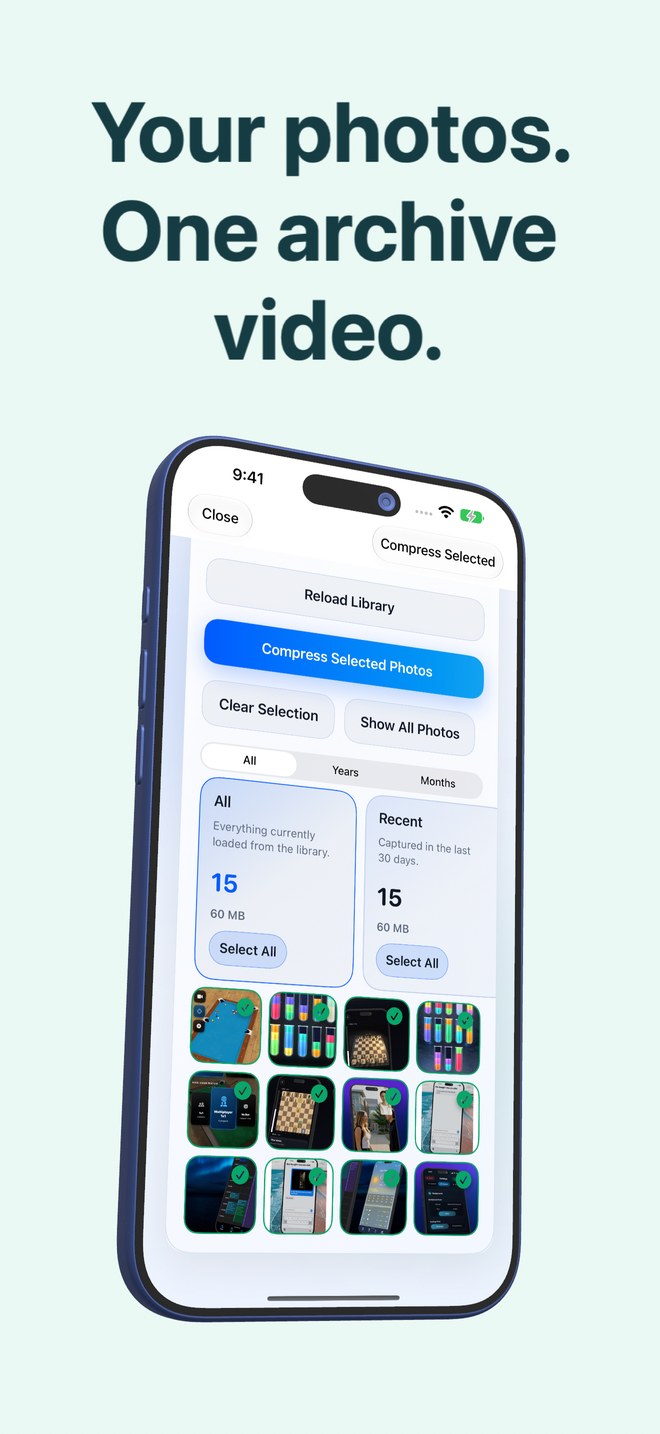
Photo2Video Archive vs HEIC-to-JPEG converter apps: why converting HEIC to JPEG makes your iPhone storage worse
Converting iPhone `.heic` photos to `.jpg` is for compatibility with ancient Windows software or legacy upload forms—never for saving storage! Because Apple’s HEIC format already uses modern HEVC still-image coding, converting HEIC to JPEG at comparable visual quality typically inflates file sizes by 1.5x to 2x. Photo2Video Archive ($3.99 once) goes in the right direction: packing batches of local photos into a single multi-frame HEVC MP4 archive video.
1. Codec generation math: 1992 JPEG vs HEIC vs multi-frame HEVC video
JPEG dates back to 1992 using 8x8 discrete cosine transform blocks. Apple switched iPhones to HEIC (High Efficiency Image File Format, powered by intra-frame HEVC) specifically because HEIC stores comparable visual detail in roughly half the bytes of JPEG.
When you run a batch HEIC-to-JPEG converter on 1,000 iPhone photos, you either bloat total megabytes dramatically or crush the JPEG quality slider so low that block artifacts ruin skies and text—while still leaving 1,000 loose files in Apple Photos. Photo2Video Archive packs those 1,000 photos into one verified HEVC MP4 video (one photo per frame) with an embedded manifest, showing you the exact byte comparison before you touch your originals.
| Characteristic | Photo2Video Archive (HEVC MP4) | HEIC-to-JPEG Converter Apps |
|---|---|---|
| Underlying compression generation | Multi-frame HEVC (H.265) video container | 1992 baseline JPEG per individual file |
| Storage effect on iPhone HEICs | Designed to compact batches (exact math shown per archive) | Often increases size 1.5x–2x unless quality is heavily degraded |
| Items left in Apple Photos | 1 verified archive video per batch | Same thousands of individual files (or duplicates if originals kept) |
| Live Photo awareness | Manifest records Live Photo pairings; exact restore via local package | Strips Live Photo motion into flat static JPEGs |
| Built-in free alternative for 1–5 files | Purpose-built batch archiver ($3.99 once) | iOS Files "Quick Actions → Convert Image" already converts to JPEG free |
2. When you actually need JPEG (and how iOS already does it free)
If a government portal or older printer rejects `.heic`, you do not need to buy a converter app at all: in Apple Photos or Files, sharing or using the built-in Convert Image Quick Action creates JPEGs on the fly, and Settings → Camera → Formats → Automatic converts during cable transfer.
Reserve Photo2Video Archive for storage organization: selecting older batches via review stacks (duplicates, large, recent, screenshots, chats, invoices, travel, pets) and consolidating them into restorable archive videos.
| Problem | Wrong move | Right move |
|---|---|---|
| Uploading 2 ID photos to an old web form that rejects `.heic` | Converting your whole library to JPEG | Use iOS Files Quick Action → Convert Image → JPEG (free) on just those 2 files |
| Running low on 128 GB iPhone storage from 8,000 old photos | Batch-converting HEIC to JPEG | Archive cold batches into HEVC MP4s with Photo2Video Archive ($3.99) |
| Preserving untouched camera originals long-term | Re-saving everything as lossy JPEG or lossy HEVC alone | Back up original `.heic` / ProRAW files to SSD or cloud |
3. Understanding lossy re-encoding in both workflows
Any conversion from HEIC to JPEG or from HEIC to an HEVC archive video frame involves lossy re-encoding when decoded back to an image. Photo2Video Archive is upfront about this: frames exported from the archive video are re-encoded full-resolution images, while byte-exact original files remain restorable from the app’s local originals package only while the app stays installed on the creating device.
| Question | Photo2Video Archive | Paid HEIC-to-JPEG Apps |
|---|---|---|
| Is re-encoded output bit-exact? | No for video frame export; yes via local app package while installed | Never — transcoding HEIC to JPEG always discards original bytes |
| Shows exact space difference before deleting? | Yes, computed for every archive | Rarely |
| Cost | $3.99 one-time download, no subscription | Unnecessary when iOS Quick Actions convert to JPEG free |
Does converting HEIC to JPEG ever save iPhone storage?
Only if you dial JPEG quality down aggressively enough to visibly degrade the image; at equivalent visual quality, JPEG files are substantially larger than HEIC.
Can Photo2Video Archive archive both HEIC and JPEG photos together?
Yes. Any supported photo stored locally in your Apple Photos library (including HEIC, JPEG, screenshots, Live Photos and panoramas) can be selected and packed into the same archive video.
What format do exported frames use when restored from Photo2Video Archive?
Export Selected to Photos decodes the selected HEVC frames and saves re-encoded full-resolution images back to your Apple Photos library; Restore Selected restores the byte-exact original files while the local package exists.
How can I convert one photo to JPEG for free without an app?
Save or select the image in Apple’s built-in Files app, long-press it, and tap Quick Actions → Convert Image → JPEG.