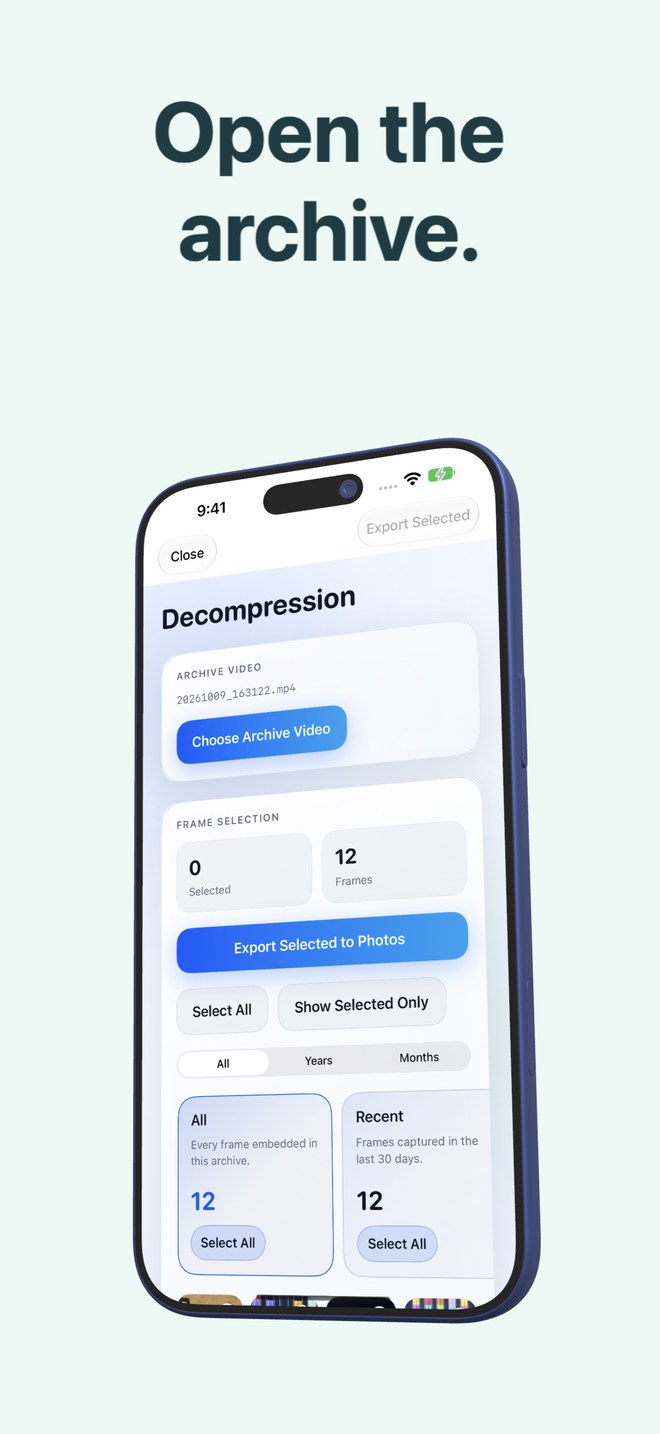
Photo2Video Archive vs private photo vault apps on iPhone: HEVC storage archiving vs PIN-lock secret galleries
Despite sharing the "vault" nickname (`Pixel Vault`), Photo2Video Archive is a storage-compacting photo archiver—not a secret PIN/calculator decoy app. Private photo vault apps hide full-size images inside an encrypted app container (often charging weekly subscriptions without shrinking a single megabyte), whereas Photo2Video Archive ($3.99 once) packs selected photos into a verified HEVC MP4 archive video saved openly in Apple Photos.
1. Hiding photos behind a PIN vs shrinking cold photo batches
Secret photo vault apps (calculator vaults, PIN folders) copy your untouched photos out of Apple Photos into the vault app’s private sandbox—or worse, onto an opaque cloud server—consuming the exact same gigabytes on your iPhone while locking you into a recurring subscription just to keep accessing your files.
Photo2Video Archive solves storage footprint and gallery clutter, not secret hiding: it encodes selected local photos into a single verified HEVC MP4 video saved right in Apple Photos. If you want privacy from casual shoulder-surfing on iOS 26, Apple’s built-in Face ID Hidden Album in Photos can hide any item—including an archive video—for free.
| Feature | Photo2Video Archive | Secret PIN / Calculator Vault Apps |
|---|---|---|
| Primary job | Compress & consolidate photo batches into restorable HEVC videos | Hide sensitive photos behind a PIN, decoy screen or Face ID |
| Storage reduction | Compares originals size vs HEVC archive video size before deletion | Zero compression — stores full-size copies inside app sandbox |
| Passcode / encryption lock | Uses standard iOS & Apple Photos protection (no separate app PIN) | App-level PIN/Face ID (quality of encryption varies widely) |
| Where your archive lives | Standard MP4 in Apple Photos (+ local package in app folder) | Trapped inside proprietary app database or vault cloud |
| Pricing model | $3.99 one-time App Store purchase | Frequently $4.99–$9.99/week subscriptions |
2. App-deletion danger in both categories (read carefully)
Traditional local vault apps are infamous for catastrophic data loss when a user deletes the app or resets their phone without exporting first, because everything lived only inside the app sandbox.
Photo2Video Archive splits its storage clearly: the verified HEVC archive video itself is saved into Apple Photos, so deleting the app does NOT delete your archive video in Photos (reinstalling lets you decode and export frames again). However, the app’s separate local originals package—used for byte-exact original restoration—DOES live in the app’s documents folder and IS deleted if you delete the app.
| Scenario | Photo2Video Archive | Local-Only PIN Vault Apps |
|---|---|---|
| Delete app after saving | Archive video remains in Apple Photos; local byte-exact package is deleted | All vaulted photos are permanently deleted unless backed up |
| Move archive to a second iPad/iPhone | Copy MP4 via Photos/AirDrop → export full-res HEVC frames in app | Usually requires paid vault cloud subscription or full manual export |
| Hide from main Photos grid for free | Move the saved archive MP4 into Apple Photos’ Face ID Hidden album | Built into vault app UI |
3. How to hide sensitive photos safely without paying vault rent
For hiding private images at original quality, use Apple’s built-in Hidden album in Photos (locked by Face ID in iOS Settings → Apps → Photos) at zero cost. When you want to compact hundreds of older photos into one space-saving archive file, use Photo2Video Archive.
| Need | Recommended solution | Cost |
|---|---|---|
| Locking private photos behind Face ID with zero quality loss | Apple Photos built-in Hidden Album | Free in iOS |
| Packing thousands of cold photos into a compact restorable video | Photo2Video Archive | $3.99 one-time |
| End-to-end encrypted off-site cloud photo backup | Ente Photos or encrypted SSD backup | Cloud plan or SSD cost |
Does Photo2Video Archive have a PIN lock or fake calculator icon?
No. Photo2Video Archive (`Pixel Vault`) is a photo-archiving compression utility, not a secret-gallery hider.
Can I put a Photo2Video Archive video inside Apple’s Hidden album?
Yes, though test whether Decompression sees items inside Hidden on your iOS setup—unhiding the archive video temporarily in Apple Photos makes it immediately visible to export frames.
What is deleted if I uninstall Photo2Video Archive?
Only the app and its local originals packages (needed for byte-exact restore) are deleted; archive videos already saved in Apple Photos remain untouched.
Does Photo2Video Archive upload my photos anywhere?
No. Processing happens locally on your iPhone or iPad with no account.