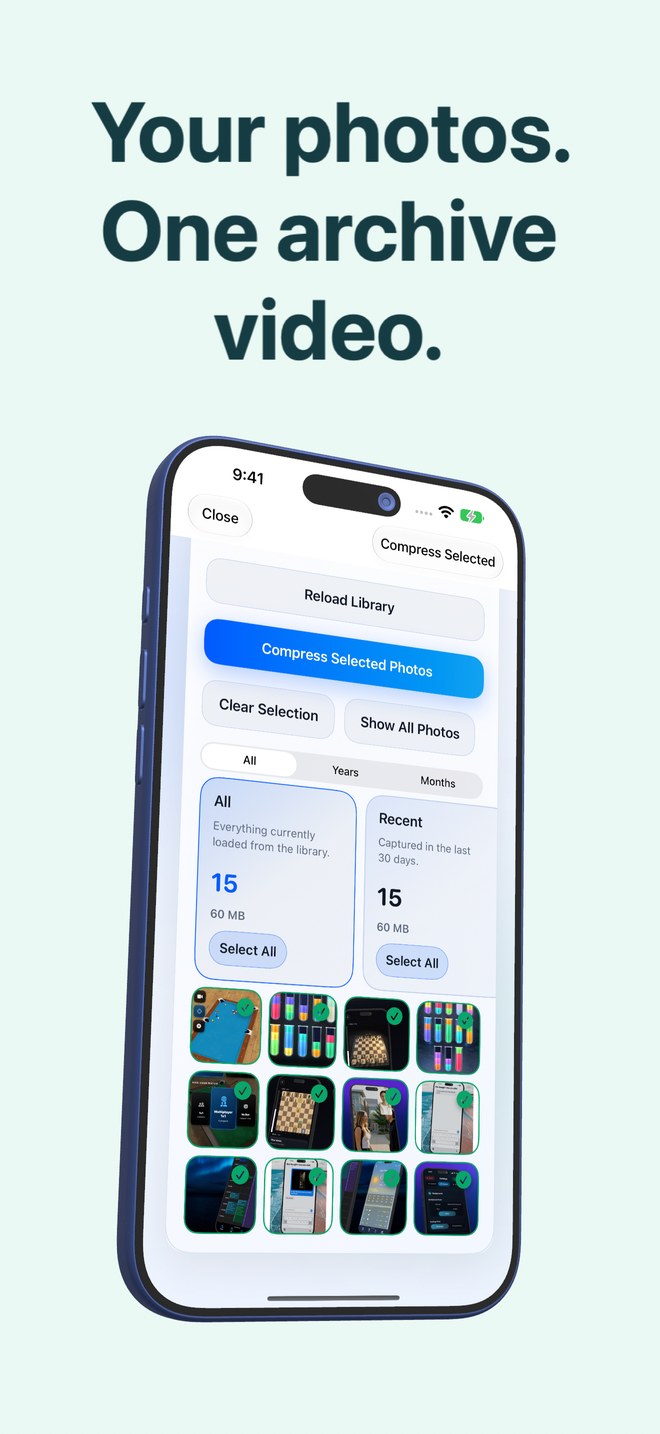
Photo2Video Archive vs custom FFmpeg desktop scripts: guided iPhone archiving & manifest restore vs CLI flags
Command-line users sometimes ask whether they can pack JPEGs into an HEVC `.mp4` themselves with desktop `ffmpeg`. You can—in fact, Photo2Video Archive includes FFmpeg under its licence—but raw CLI `image2` scripts choke on mixed resolutions, portrait/landscape EXIF rotation, Live Photos, panoramas and single-photo metadata mapping. Photo2Video Archive wraps encoding, embedded manifests, verification and tap-to-restore into a $3.99 iPhone and iPad workflow.
1. Why raw `ffmpeg -i IMG_%04d.JPG` breaks on real camera rolls
A textbook FFmpeg image-sequence command assumes sequentially numbered files of identical width, height, pixel format and orientation. A real iPhone camera roll mixes vertical 12 MP portraits, horizontal 48 MP shots, odd-dimension screenshots, tall chat stitches, wide panoramas and Live Photo pairs.
Without custom preprocessing, sidecar JSON manifests and per-frame geometry tracking, a DIY FFmpeg script either fails with dimension-mismatch errors, letterboxes everything down to a single 16:9 canvas, or strips every original filename and capture date.
| Engineering problem | Photo2Video Archive (iOS/iPadOS) | DIY Desktop FFmpeg Script |
|---|---|---|
| Mixed portrait, landscape & panoramas | Handled automatically inside the app workflow | Fails or pads/crops unless scripted per resolution group |
| Original filenames, dates & Live Photos | Written into an embedded manifest inside the MP4 file | Lost completely unless you maintain & sync an external database |
| Selective visual frame restore | Visual Decompression picker → Export Selected to Photos | Must calculate frame index numbers & run `select=eq(n,...)` manually |
| Byte-exact local fallback | Retains local originals package in app while installed | Manual folder management on desktop |
| Where it runs | Directly on iPhone & iPad (iOS 26+), no computer needed | Requires exporting library to macOS/Linux/Windows terminal |
2. Built-in PhotoKit selection and archive verification
Getting 3,000 targeted photos out of Apple Photos onto a desktop folder for CLI scripting is often slower than the encode itself. Photo2Video Archive reads local device photos directly via PhotoKit, offers instant stacks (duplicates, large, recent, chats, invoices, documents, screenshots, travel, pets, food, nature, city), verifies the finished archive before saving to Photos, and computes the exact storage math.
| Stage | Photo2Video Archive | Desktop FFmpeg Pipeline |
|---|---|---|
| 1. Selecting photos | Tap on-device stacks or year/month filters with counters | Export from Photos to Finder → write shell filter scripts |
| 2. Encoding & verification | One tap; archive verified automatically before saving | Tune `-c:v libx265` / `hevc_videotoolbox` flags & write verify script |
| 3. Restoring 4 photos on the go | Open app on iPhone → tick 4 frames → Export Selected | Impossible away from your computer & index file |
| 4. Software cost | $3.99 one-time App Store download | Free open-source CLI + hours of scripting & maintenance |
3. When custom desktop FFmpeg still wins
Use desktop FFmpeg when you are building automated Linux server pipelines, experimenting with AV1 / lossless x265 (`-x265-params lossless=1`) research encodes on uniform scientific image sequences, or batch-transcoding existing `.mov` camera videos—something Photo2Video Archive intentionally does not do.
| Workload | Recommended tool | Why |
|---|---|---|
| Packing everyday iPhone/iPad photos with tap-to-restore convenience | Photo2Video Archive ($3.99) | Solves mixed orientations, Live Photos, embedded manifests & mobile restore |
| Transcoding large 4K `.mov` camera videos on a Mac | Desktop FFmpeg or HandBrake | Photo2Video Archive only archives still photos, Live Photos & panoramas |
| Server-side timelapse rendering from uniform fixed-camera frames | Desktop FFmpeg CLI | Uniform dimensions & headless automation fit shell scripts naturally |
Does Photo2Video Archive use FFmpeg internally?
Yes—as noted in the app’s Terms of Use, Photo2Video Archive includes FFmpeg under its licence alongside native iOS media integration and custom manifest/restore tooling.
Can Photo2Video Archive open an MP4 I created myself with desktop FFmpeg?
No. The Decompression screen lists and opens only videos carrying a valid embedded Photo2Video Archive payload.
Is Photo2Video Archive’s HEVC video stream lossless?
No. The HEVC video is lossy, so exported frames are re-encoded images; byte-exact restoration uses the local originals package while the app remains installed on the creating device.
Do I need any command-line knowledge to use Photo2Video Archive?
None at all—the home screen has just two buttons: Compression and Decompression.