Photo2Video Archive vs Fastest Screenshot Cleaner: when to archive photos as video vs bulk-delete screenshots
Both apps are built by Arte Soft EOOD for iPhone and iPad (iOS 26+) with one-time pricing and zero subscriptions—and they solve opposite halves of camera-roll clutter. Use Fastest Screenshot Cleaner ($2.99 once) to find PhotoKit screenshots, see their total gigabyte cost and bulk-delete grabs you never want again; use Photo2Video Archive ($3.99 once) when you want to keep thousands of photos, chats, receipts or trip shots packed inside a restorable HEVC archive video.
1. Delete disposable grabs vs pack photos you want to keep
Fastest Screenshot Cleaner queries Apple PhotoKit specifically for the screenshot media subtype, adds up the exact local storage those screenshots consume, groups them into stacks (recent, portrait, landscape, large, duplicates and on-device text categories), and lets you bulk-delete unwanted items in under a minute.
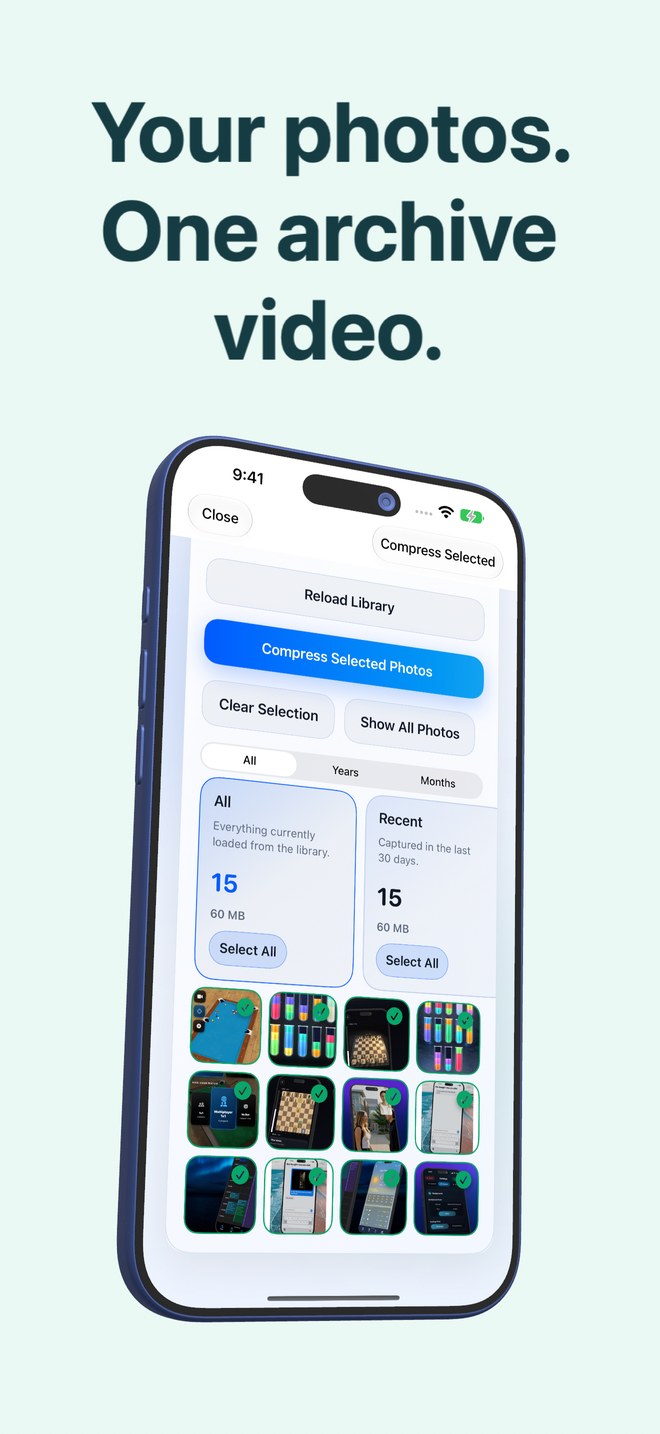
Photo2Video Archive loads your broader local photo library—camera photos, Live Photos, panoramas and screenshots alike—and packs your selected batch into a verified HEVC MP4 video with an embedded manifest saved in Apple Photos so you can export frames back later.
| Attribute | Photo2Video Archive | Fastest Screenshot Cleaner |
|---|---|---|
| Publisher & OS | Arte Soft EOOD · iOS 26 / iPadOS 26+ | Arte Soft EOOD · iOS 26 / iPadOS 26+ |
| US App Store price | $3.99 one-time paid download (no subscription) | $2.99 one-time paid download (no subscription) |
| Library scope | All local device photos, Live Photos, panoramas & screenshots | Images carrying the PhotoKit screenshot marker |
| End result | Verified HEVC MP4 archive video in Photos + frame/package restore | Selected screenshots removed via system Photos sheet |
| On-device privacy | 100% local processing; no account or Arte Soft upload | 100% local processing; no account or Arte Soft upload |
2. Handling screenshots you actually need for records
Not every screenshot is trash: tax payment confirmations, warranty serial numbers, chat threads and travel booking QR codes often sit in Screenshots for years because you are afraid to delete them, yet hate scrolling past 4,000 of them in Recents.
That is where Photo2Video Archive shines even for screenshots: select the Invoices, Documents or Chats stack, pack them into a single named archive video (testing frame export readability on fine text before deleting loose copies!), and keep important tax/legal originals backed up separately.
| Clutter category | Right app | Why |
|---|---|---|
| Accidental lock-screen grabs, memes & expired QR codes | Fastest Screenshot Cleaner | Deletes pure clutter permanently in seconds |
| Old chat threads, reference screenshots & receipts worth keeping | Photo2Video Archive | Packs them into 1 archive video so Recents clears up without losing visual access |
| 3,000 holiday photos, pet pictures & event bursts | Photo2Video Archive | Fastest Screenshot Cleaner intentionally ignores non-screenshot camera photos |
| Critical tax/contract documents needing exact bytes | Separate lossless backup (+ optional archive) | Verify text legibility first; HEVC frame export is lossy |
3. Running both apps together in a 10-minute cleanup
Together, both apps cost $6.98 once—less than a single week of many subscription cleaner apps. Run Fastest Screenshot Cleaner first so you do not waste encoding time packing junk screenshots into an archive video, then open Photo2Video Archive to pack older camera-roll batches you want to preserve in compact form.
| Step | Action | Safety check |
|---|---|---|
| Step 1 — Purge junk grabs | Scan & delete disposable screenshots in Fastest Screenshot Cleaner | Deleted items stay recoverable in Recently Deleted for 30 days |
| Step 2 — Archive cold keepers | Select cold photo batches in Photo2Video Archive & build HEVC video | Keep Originals until you export & inspect sample frames |
| Step 3 — Protect masters | Ensure irreplaceable family photos have an independent lossless backup | Never delete the archive video in Apple Photos |
Does Photo2Video Archive also include a screenshots stack?
Yes. Photo2Video Archive includes an on-device Screenshots stack (alongside Chats, Invoices, Documents and QR codes) for packing screenshots into an archive video, whereas Fastest Screenshot Cleaner is purpose-built for fast screenshot storage totals and bulk deletion.
Do either of these apps charge recurring subscriptions?
No. Both are one-time paid downloads from Arte Soft EOOD with no subscriptions or in-app purchases.
Is text inside archived invoice or chat screenshots still readable after HEVC export?
Full-resolution frame export preserves pixel dimensions, though HEVC is lossy and can soften tiny low-contrast text. Always test a sample frame export before deleting important document originals.
Do both apps respect Apple’s system deletion confirmation?
Yes. Deletions in both apps always run through the standard iOS Photos confirmation sheet and stay in Recently Deleted for 30 days.