Restoring photos in Photo2Video Archive vs manual video screenshots: clean frame decode vs blurry screen grabs
Taking a screenshot of a paused video on an iPhone captures your screen’s display resolution, burns in status bars or scrubbers if mistimed, rescales the image and forces you to repeat the dance one frame at a time. Photo2Video Archive ($3.99 once) decodes selected frames directly from the archive MP4 at full image dimensions—or restores byte-exact originals with dates, names and Live Photos while the local archive package exists.
1. Direct frame decoding vs display-buffer screen grabbing
An iPhone screen is roughly 2.5 to 3.7 megapixels (for example, 1179 × 2556 or 1320 × 2868 pixels), often letterboxed when showing a 4:3 camera photo. Grabbing a screenshot of a paused video throws away the majority of a 12 MP, 24 MP or 48 MP photo’s resolution, applies UI display scaling and stamps today’s date onto a PNG screenshot.
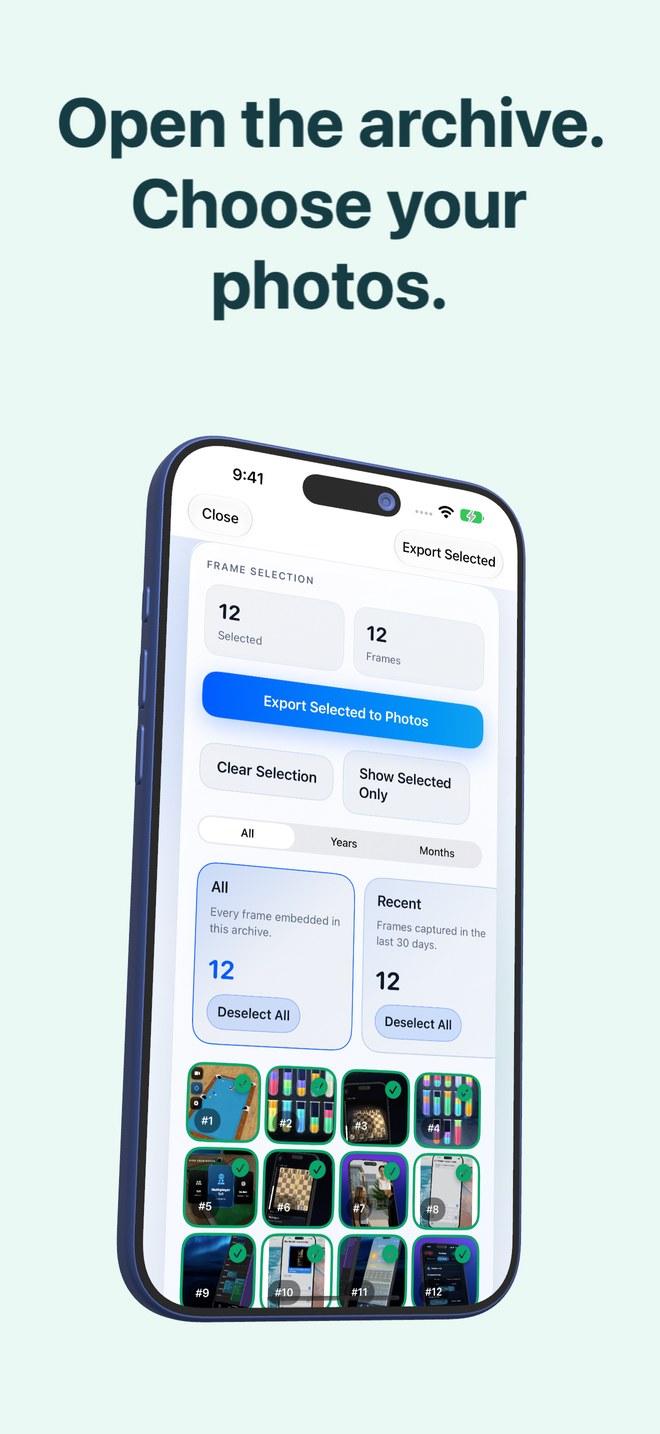
Photo2Video Archive’s Decompression workflow reads the embedded manifest inside a recognized archive video, decodes the actual stored HEVC frames directly (bypassing the screen buffer), and exports selected images back to Apple Photos at full resolution—or restores byte-exact source files when the local originals package is present.
| Factor | Photo2Video Archive Restore | Manual Paused-Video Screenshot |
|---|---|---|
| Output pixel resolution | Full-resolution frame dimensions (or byte-exact original via local package) | Shrunk to iPhone screen viewport minus black letterbox bars |
| Batch recovery of 50 images | Tick 50 frames in grid → tap Export Selected to Photos once | 50 manual pause, hide-UI, button-combo & crop operations |
| Player UI contamination | Zero — decodes clean media stream directly | Playhead, clock, Dynamic Island or home bar easily caught |
| Original names, dates & Live Photos | Embedded in manifest; full byte-exact Live Photo restore via local package | Completely lost — saved as a brand-new PNG screenshot |
| Works on 1-photo-per-frame speed | Purpose-built thumbnail grid for every single frame | Nearly impossible to pause accurately on single frames by finger |
2. Understanding the two restore buttons inside Photo2Video Archive
Inside Decompression, know which restore path applies on your device. Export Selected to Photos decodes frames from the HEVC archive video itself—working on any iPhone or iPad with the app that has the archive video in Photos, producing re-encoded lossy HEVC images at full resolution.
While the archive’s local originals package still exists inside the app on the device that created the archive, Restore Selected puts back the byte-exact original files with their names, dates and Live Photo videos instead.
| Restore action | Data source used | Fidelity & device scope |
|---|---|---|
| Export Selected to Photos | Embedded HEVC MP4 video in Apple Photos | Full-resolution re-encoded images (lossy); works on any iOS 26+ device with the app & video |
| Restore Selected (with local package) | Local archive package in app documents folder | Byte-exact original files, names, dates & Live Photos; creating device only while app stays installed |
3. Why arbitrary camera videos are not listed in Decompression
Users occasionally ask whether Photo2Video Archive is a general frame-grabber for normal 4K home movies. It is not: the Decompression picker intentionally lists only videos containing a valid embedded Photo2Video Archive payload so you never confuse ordinary clips with verified photo archives.
| Source video | Supported in Photo2Video Archive? | What to use |
|---|---|---|
| Archive MP4 created by Photo2Video Archive (same or other device) | Yes — full manifest & frame grid | Photo2Video Archive → Decompression |
| Regular iPhone `.mov` video clip where you want 1 still frame | No (not an archive payload) | Video frame export editor or desktop FFmpeg |
Can I open a Photo2Video Archive video on my new iPhone and export frames?
Yes. Because the manifest is embedded inside the MP4 file in Apple Photos, Photo2Video Archive on your new iPhone can open it and export decoded frames, though byte-exact originals require the local package from the original device or a separate backup.
Why is pausing and screenshotting an archive video in Apple Photos a bad idea?
Because each photo occupies just one frame and a screenshot downscales the image to screen pixels with black bars instead of decoding the full-resolution frame.
Does exporting frames delete the archive video?
No. Your archive video remains intact in Apple Photos so you can export additional frames whenever needed.
Should I test restoring a few frames before deleting my originals?
Always—export a few test frames while keeping originals on your first archive so you confirm both workflow comfort and visual quality.