Photo2Video Archive vs OneDrive & Dropbox Camera Upload: compact HEVC archives vs folder-sync cloud plans
Dropbox and Microsoft OneDrive Camera Upload work well when your household or office already pays $10–$20/month for Microsoft 365 or Dropbox Plus and wants every shot mirrored into a desktop `Camera Uploads` folder. Photo2Video Archive ($3.99 once) is built for iPhone and iPad users who do not want another monthly sync bill—or a 40,000-file flat cloud folder—just to shrink cold photo batches on their device.
1. Flat `Camera Uploads` dumps vs curated HEVC archive videos
Enabling Camera Upload in Dropbox or OneDrive copies every screenshot, blurry receipt, burst frame and family portrait into one giant cloud folder. While that preserves untouched files off-site, your free tier (2 GB on Dropbox Basic, 5 GB on OneDrive free) fills almost immediately, and cleaning up Apple Photos later still requires manual sorting.
Photo2Video Archive starts with deliberate on-device selection stacks—last 30 days, duplicates, large files, portrait/landscape, plus content groups like screenshots, chats, invoices, documents, QR codes, travel and pets—then packs only the batch you chose into one verified HEVC MP4 video saved in Apple Photos.
| Dimension | Photo2Video Archive | OneDrive / Dropbox Camera Upload |
|---|---|---|
| Free / base allowance | Unlimited local archives after $3.99 download (limited only by device storage) | 2 GB free (Dropbox Basic) or 5 GB free (OneDrive) before paid plans |
| Paid recurring cost | $0/month — no subscription | ~$9.99–$11.99/mo (Dropbox Plus) or Microsoft 365 monthly/annual plans |
| How batches are stored | 1 verified HEVC MP4 video per batch with embedded manifest in Photos | Thousands of loose files inside a cloud Camera Uploads folder |
| Background upload battery/data | Zero uploads — 100% local on-device encoding | Uploads camera roll over Wi-Fi / cellular in background |
| Supported Apple OS | iOS 26 / iPadOS 26+ on iPhone & iPad | iOS, iPadOS, macOS, Windows & web |
2. Fidelity, Live Photos and selective recovery
File-sync clouds win on byte-exact preservation: an HEIC or RAW uploaded to OneDrive or Dropbox comes back down with the exact same bytes, though Live Photos have historically split into separate `.heic` and `.mov` files in plain folder views. Photo2Video Archive uses lossy HEVC video encoding for compact archive videos, while embedding photo names, dates and Live Photo pairings in the video manifest.
When you need exact bytes from Photo2Video Archive, Restore Selected uses the local originals package kept in the app’s documents storage on the creating device—whereas Export Selected to Photos decodes re-encoded frames from the HEVC video on any device with the app.
| Capability | Photo2Video Archive | OneDrive / Dropbox |
|---|---|---|
| Byte-for-byte original preservation | Via local app package while installed; video frame export is lossy HEVC | Yes — cloud folders return identical uploaded bytes |
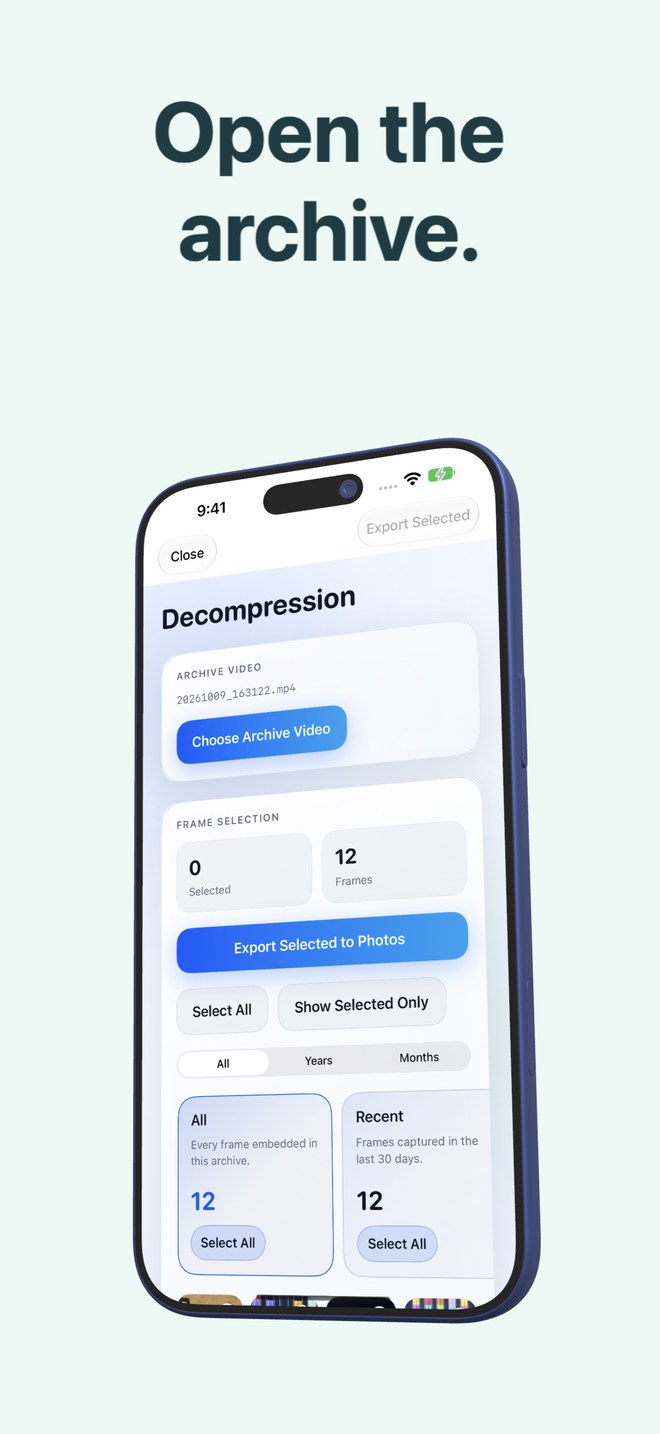
| Restoring 5 photos back into Apple Photos | Open archive → tick 5 frames → Export Selected to Photos offline | Locate filenames in cloud app → download over network → Save Image |
| Live Photo pairing awareness | Manifest records Live Photo pairings; exact restore restores video while package exists | Often appears as separate still + short .mov clip in file explorers |
| Space freed transparency | Displays originals size vs video size before system Photos deletion | Must manually delete from Apple Photos after checking sync status |
3. Using OneDrive or Dropbox alongside Photo2Video Archive
If you already get 1 TB of OneDrive with Microsoft 365 for Word and Excel, you can even store copies of finished Photo2Video Archive MP4 files in a OneDrive cold-archive folder—alongside an untouched folder of your most important family originals—getting multi-copy safety without dumping 30,000 loose screenshots into your cloud root.
| Situation | Best approach | Why |
|---|---|---|
| Already paying for Microsoft 365 with 1 TB unused OneDrive | Back up irreplaceable originals to OneDrive; compact clutter locally with Photo2Video Archive | Combines lossless off-site backup with a clean local Photos library |
| Asked to pay $11.99/mo just because 2 GB Dropbox filled with photos | Photo2Video Archive ($3.99) + external SSD | Avoids ~$144/year subscription solely for cold camera-roll storage |
| Syncing work site-inspection photos straight to a Windows PC folder | OneDrive or Dropbox Camera Upload | Desktop folder sync puts loose files straight into Windows Explorer |
Can I copy a Photo2Video Archive MP4 file into Dropbox or OneDrive as a backup?
Yes. Because Dropbox and OneDrive store uploaded files unmodified as binary objects, the MP4 and its embedded manifest stay intact when downloaded back to Apple Photos later.
Does copying the MP4 to Dropbox preserve byte-exact photo restore on a new phone?
No. On another device, Photo2Video Archive exports decoded full-resolution frames from the lossy HEVC video; byte-exact original restore requires the local originals package on the creating device or a separate original-file backup.
Does Photo2Video Archive need a Dropbox, Microsoft or Arte Soft login?
No account or sign-in of any kind is used.
What happens when I delete originals after archiving in Photo2Video Archive?
Deletion only runs if you confirm the system Apple Photos sheet (Keep Originals is always an option), and deleted items stay in Apple Photos Recently Deleted for 30 days.