Photo2Video Archive vs iCloud+ storage upgrades on iPhone: $3.99 local HEVC archives vs monthly cloud tiers
Upgrade iCloud+ when you want seamless, byte-exact cloud backup and live library sync across every Apple device you own. Choose Photo2Video Archive ($3.99 one-time on the US App Store) when you want to pack local batches of older photos into compact, restorable HEVC archive videos right on your iPhone or iPad without increasing a monthly subscription—provided you understand HEVC’s lossy frame export and keep a separate backup for irreplaceable originals.
1. What each option actually stores and preserves
iCloud Photos keeps your untouched HEIC, JPEG, ProRAW and Live Photo files on Apple’s servers and optionally leaves smaller preview placeholders on your phone via Optimize iPhone Storage. Deleting a photo on one synced device deletes it from iCloud and every other synced device.
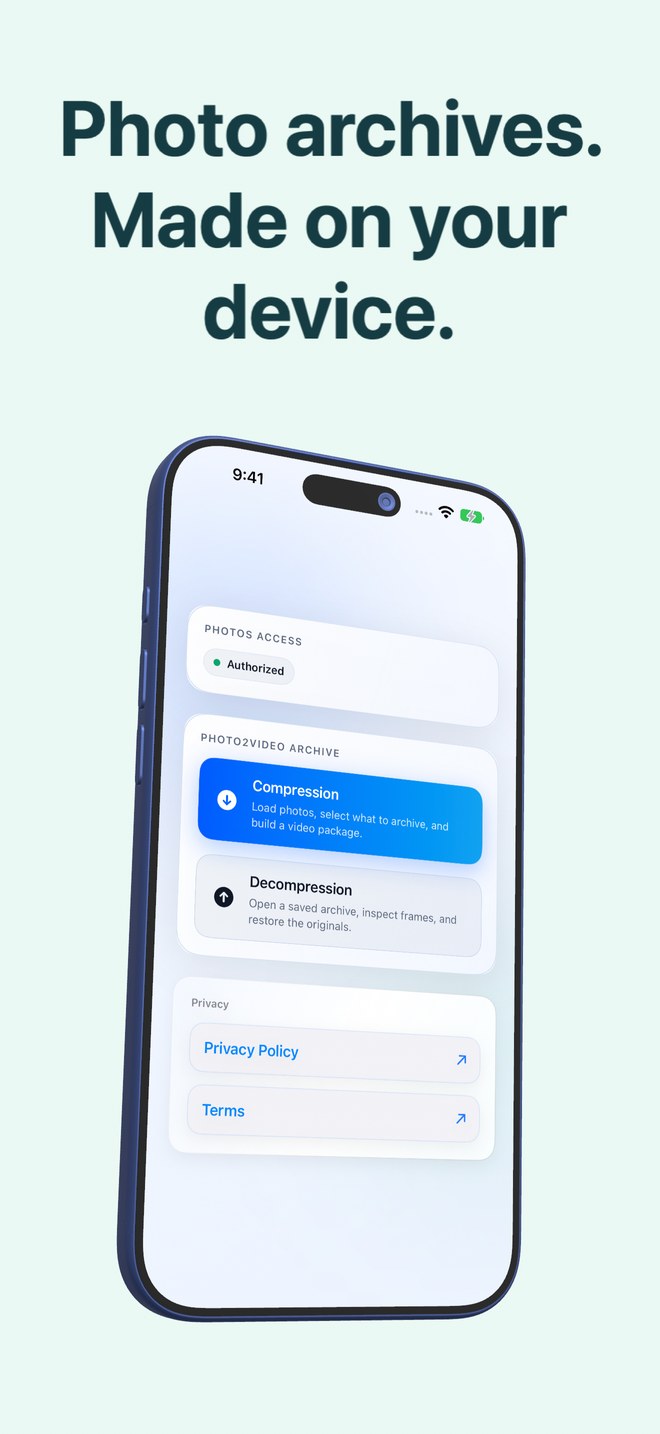
Photo2Video Archive works locally on your iPhone or iPad (iOS 26+). It packs selected local photos as individual frames inside a verified HEVC MP4 video with an embedded manifest, saves that archive video to Apple Photos, and keeps a separate originals package in the app’s own documents folder for byte-exact restoration while the app stays installed.
| Dimension | Photo2Video Archive | iCloud+ Photos Upgrade |
|---|---|---|
| Primary storage container | Verified HEVC MP4 video (1 photo per frame + embedded manifest) saved in Photos | Individual original image & Live Photo files stored in Apple iCloud |
| Frame / image fidelity | Lossy HEVC re-encode when exporting frames from the video; byte-exact only from local app package | Lossless — preserves original camera bytes, RAW data and full metadata |
| Cross-device availability | Archive video can sync via Photos for frame export; byte-exact package stays on creating device | Full library syncs automatically across iPhone, iPad, Mac and iCloud.com |
| Handling of cloud-only items | Skips photos stored only in iCloud rather than downloading or guessing at them | Downloads originals on demand when viewed or edited |
| Protection if phone is lost | Only if the archive video or a separate backup was synced or copied off-device | Cloud copies survive lost or damaged devices while subscription stays active |
2. Local device storage math and deletion rules
Buying a larger iCloud+ tier gives you more server space, not a bigger physical SSD inside a 128 GB iPhone—though Optimize iPhone Storage helps shrink local cache over time. Photo2Video Archive attacks cold photo clutter directly by computing per-archive numbers: what the selected originals use, what the HEVC archive video uses, and the difference Photos would free.
Count all copies honestly on a single device: while Photo2Video Archive retains its local originals package for byte-exact restore, those files occupy app storage on that device, and originals deleted through the system Photos sheet remain in Recently Deleted for up to 30 days.
| Factor | Photo2Video Archive | iCloud+ Photos Upgrade |
|---|---|---|
| Promised space savings | Computed per archive before you delete anything; no fixed percentage promised | Depends on iOS managing Optimize iPhone Storage cache |
| Originals deletion flow | Optional (Keep Originals button always shown); uses system Photos confirmation sheet | Deleting a photo removes it from iCloud and all synced devices |
| 30-day recovery window | Deleted library originals stay in Apple Photos Recently Deleted for 30 days | Deleted items stay in iCloud Photos Recently Deleted for 30 days |
| App removal impact | Deleting the app deletes local originals packages; archive videos in Photos remain | No third-party app required |
| Offline usability | 100% on-device selection, encoding, verification and frame export | Requires internet to fetch cloud-only full-resolution originals |
3. Cost comparison and how iPhone owners combine both
You do not have to treat Photo2Video Archive and iCloud+ as mutually exclusive. Many people stay comfortably on a smaller iCloud+ plan (such as 50 GB or 200 GB) instead of jumping to 2 TB by packing older screenshots, receipts, chats and travel bursts into named HEVC archive videos while keeping recent and irreplaceable family originals untouched.
| Scenario | Better choice | Why |
|---|---|---|
| Automatic off-site disaster backup of irreplaceable family photos | iCloud+ (plus an independent local backup) | Cloud sync protects untouched originals if your iPhone is lost or broken |
| Staying under an existing 50 GB or 200 GB iCloud+ ceiling | Photo2Video Archive + current iCloud+ tier | Compacting older cold batches avoids jumping to the next monthly tier |
| Zero-subscription local archiving of screenshots, chats & bursts | Photo2Video Archive ($3.99 once) | One-time App Store purchase with no recurring billing or account |
| Archiving photos that are already offloaded to iCloud only | Download in Photos first, or keep in iCloud+ | Photo2Video Archive only lists photos stored fully on the device |
Can Photo2Video Archive archive photos that Optimize iPhone Storage offloaded to iCloud?
Not while they live only in iCloud. Photo2Video Archive lists only photos stored fully on your device and skips iCloud-only placeholders instead of downloading them behind your back.
Does an archive video saved in Apple Photos sync through iCloud Photos?
Yes, if iCloud Photos is enabled and you have cloud space, Apple Photos treats the archive MP4 like any other video. Another iPhone or iPad with Photo2Video Archive can export frames from it, though the byte-exact originals package stays on the device that made it.
Is Photo2Video Archive a lossless replacement for iCloud backup?
No. HEVC video encoding is lossy, so frames exported from the video are re-encoded images. Keep an independent original-file backup for irreplaceable photos.
Does Photo2Video Archive charge a monthly fee like iCloud+?
No. It is a $3.99 one-time paid download on the US App Store (regional prices shown by Apple) with no subscription or in-app purchases.