Photo2Video Archive vs iPhone flash drives (Lightning & USB-C sticks): native Photos archives vs companion-app thumb drives
Dual-ended "iPhone Photo Stick" thumb drives ($30–$90) look convenient in ads, yet many Lightning models rely on clunky proprietary companion apps that break across iOS updates, crawl at USB 2.0 speeds and store your only copy on low-grade flash memory easy to lose on a keychain. Photo2Video Archive ($3.99 once) works directly inside iOS 26 / iPadOS 26 with zero dongles, keeping verified HEVC archive videos right in Apple Photos.
1. Companion-app fragility & thumb-drive failure vs native Photos MP4s
Cheap "one-click photo backup sticks" heavily marketed online often require an MFi vendor’s custom app rather than standard Apple Files—and if that vendor abandons the app or the stick’s controller dies in a drawer, browsing your archive becomes painful. Even reputable USB-C thumb drives use lower-endurance NAND controller designs than proper portable NVMe SSDs.
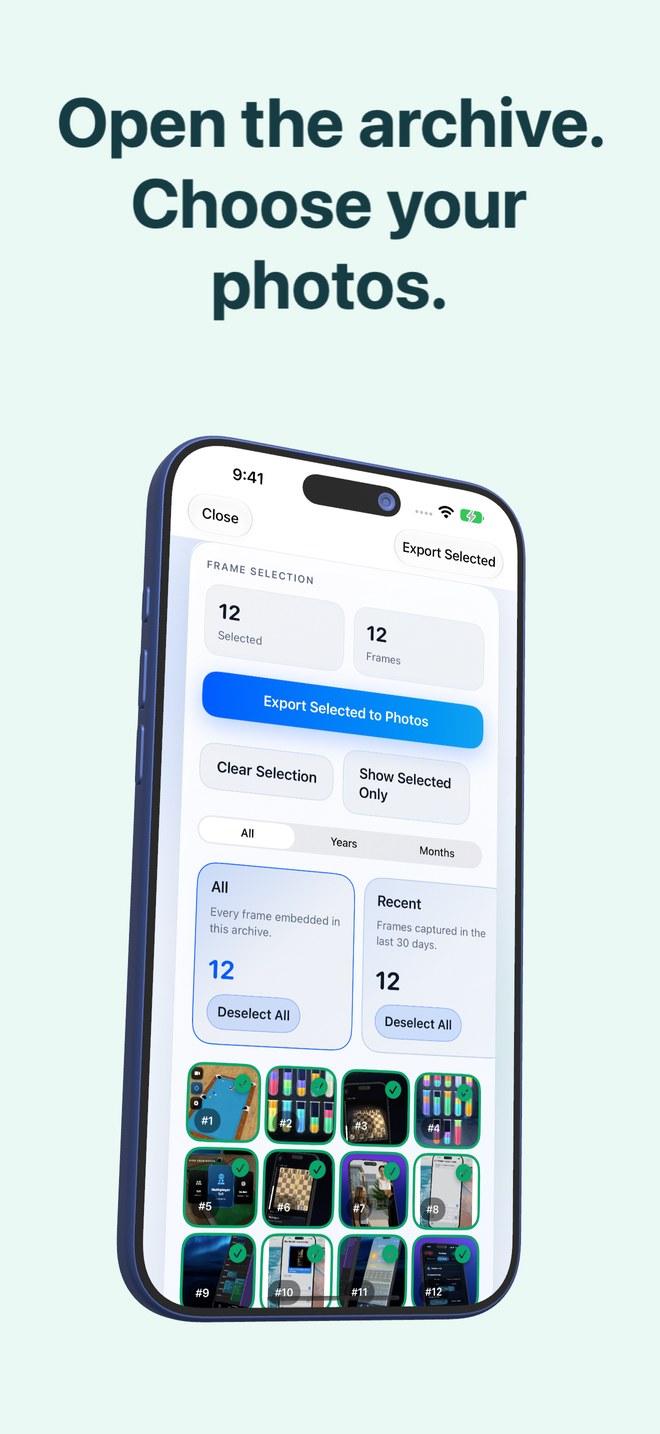
Photo2Video Archive saves standard HEVC MP4 videos directly into your native Apple Photos library, with the photo manifest embedded inside the video file itself and no external connector hardware.
| Factor | Photo2Video Archive | Lightning / USB-C Photo Thumb Drives |
|---|---|---|
| Price | $3.99 one-time App Store download | $30–$90+ per flash stick |
| Proprietary hardware dependency | None — runs on iPhone & iPad (iOS 26+) | Physical connector + often a vendor-specific companion app |
| Transfer bottlenecks | On-device memory speed; zero USB 2.0 Lightning bottleneck | Lightning sticks capped near slow USB 2.0 transfer rates |
| Keychain loss / static damage risk | Archive lives on device (and syncs/copies anywhere you choose) | Tiny stick is easy to lose, wash in pockets or corrupt on unplug |
| Selection intelligence | On-device stacks: duplicates, large, chats, invoices, travel, pets | Usually dumps entire camera roll indiscriminately |
2. Lossy HEVC pocket access vs lossless flash export
A standard USB-C flash drive accessed via Apple’s native Files app (skipping sketchy vendor apps) does have two legitimate strengths: it stores untouched original bytes and accepts large 4K video clips. Photo2Video Archive is built for still photos, Live Photos and panoramas, using lossy HEVC video compression so your cold batches shrink and remain instantly accessible on your phone without carrying a stick.
| Capability | Photo2Video Archive | USB Flash Stick |
|---|---|---|
| Photo byte preservation | Lossy HEVC video export; byte-exact while local app package exists | Lossless file copy (verify files actually open before deleting) |
| Handles 4K camera videos | No — still photos, Live Photos & panoramas only | Yes — limited by drive capacity & exFAT/APFS formatting |
| Instant search & restore on phone | Always in Apple Photos; export selected frames in seconds | Requires finding and plugging in the thumb drive |
| Pre-deletion space math | Displays exact originals size vs archive video size | Manual folder check in Files |
3. Skip gimmick "Photo Sticks"—use an SSD for masters and HEVC for your phone
If you buy external hardware for lossless backups, skip overpriced "1-Click Photo Saver" sticks and buy a reputable portable USB-C SSD used directly through Apple’s built-in Photos → Export Unmodified Originals or Files app. Then use Photo2Video Archive ($3.99) to keep compact, frame-restorable archives right on your iPhone.
| Goal | Skip this | Do this instead |
|---|---|---|
| Keeping thousands of cold photos accessible on your iPhone | Carrying a fragile Lightning/USB stick everywhere | Pack verified HEVC archives in Photo2Video Archive ($3.99) |
| Offline lossless master backup at home | Overpriced "Photo Saver" social-ad thumb drives | Reputable portable USB-C SSD via native Apple Files/Photos |
| Extra off-device copy of your Photo2Video Archive MP4s | Leaving archives on a single device only | Copy unmodified archive MP4s to SSD, Mac or iCloud Drive |
Why are portable SSDs better than cheap "Photo Backup" thumb drives for lossless masters?
Portable NVMe/SATA SSDs use higher-grade NAND flash and wear-levelling controllers and work directly with Apple’s built-in Files app without proprietary companion software.
Can I copy a Photo2Video Archive video onto a USB drive as a second backup?
Yes. Export the unmodified MP4 archive video to Files or an external drive; its embedded manifest stays inside the MP4 so Photo2Video Archive can export frames from it later.
Does Photo2Video Archive require plugging anything into my iPhone?
Nothing at all—selection, encoding, verification and restoration happen completely on your iPhone or iPad.
Are frames exported from a Photo2Video Archive MP4 byte-identical to originals?
No—frames decoded from the HEVC video are re-encoded images. Byte-exact restore requires the local originals package on the creating device (while the app remains installed) or a separate lossless backup.