How to Extract Full-Resolution Frames vs Byte-Exact Originals From a Photo2Video Archive
Taking a manual screenshot of a paused video on your iPhone captures your screen resolution alongside playback controls—not the underlying photo frame. Photo2Video Archive includes a dedicated Restore workflow that reads the embedded manifest inside your archive video and exports selected images back to Apple Photos.
Two restore paths: decoded HEVC frames vs local originals package
When you open a recognized archive in Photo2Video Archive, what gets restored depends on whether the creating device's local originals package is present or whether the app is decoding frames directly from the HEVC MP4 video.
| Restore Path | Where Source Data Lives | Output Fidelity | Works After Copying Video to Another Device? |
|---|---|---|---|
| Decoded HEVC Video Frame Export | Embedded inside the HEVC MP4 video in Apple Photos | Full pixel dimensions, re-encoded from lossy HEVC video frame | Yes — any iPhone/iPad with the app and the archive video |
| Byte-Exact Original Restore | Local originals package inside the app sandbox on the creating device | Untouched original file bytes | No — local package stays on the device that created the archive |
| Manual iOS Video Screenshot (Not Recommended) | Screen buffer during video playback | Degraded screen resolution + UI chrome | Not a real restore workflow |
How to restore individual photos back to Apple Photos
You never have to unpack an entire 2,000-photo archive just to recover three receipts or travel snapshots.
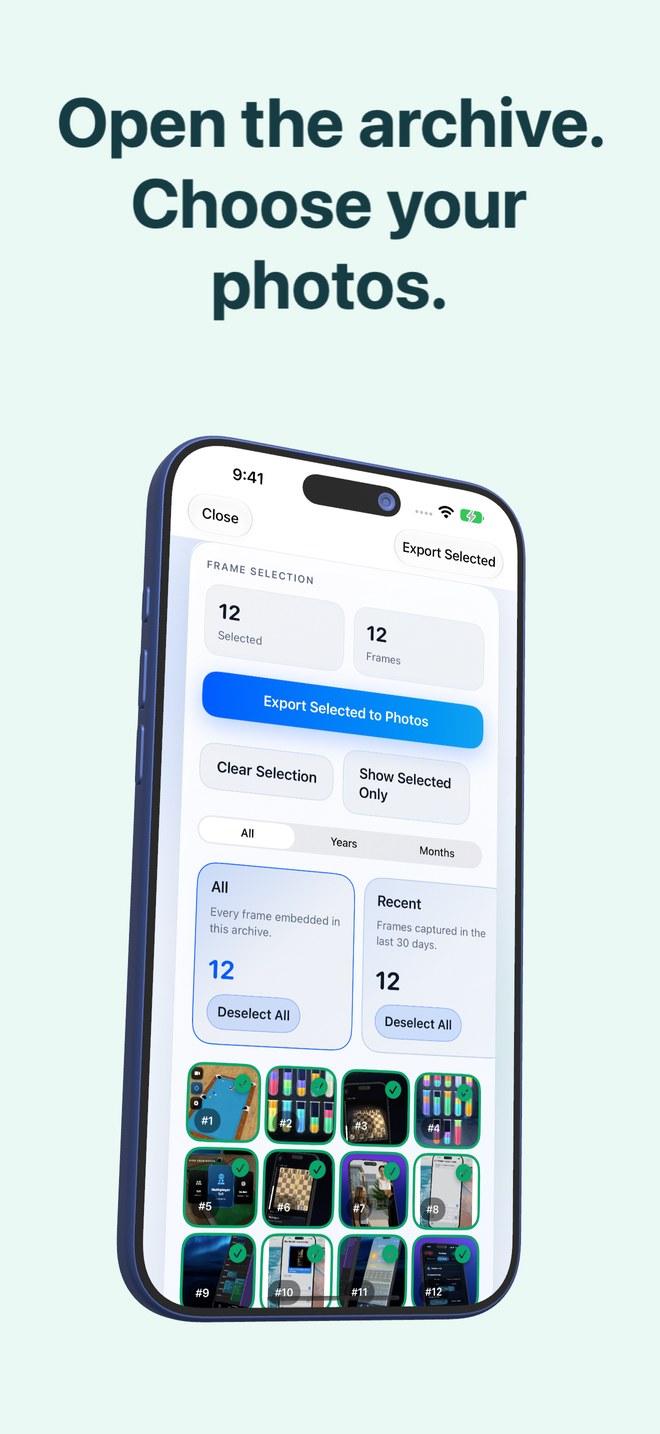
- Open Photo2Video Archive and switch to the Restore tab.
- Select the recognized Photo2Video archive MP4 from your accessible Apple Photos library.
- Wait a moment while the app reads the embedded archive manifest and displays the grid of stored frames.
- Tap the specific images you want to put back—start with a small selection of two or three images to verify first.
- Tap the export action to save the restored images directly into your Apple Photos library.
Why arbitrary videos cannot be opened as archives
The Restore workflow specifically looks for the embedded manifest created by Photo2Video Archive during verification. Ordinary camera videos, screen recordings, or slideshows made in other editors do not carry this frame map and will not appear as valid photo archives.
Are frames exported from the HEVC video identical byte-for-byte to my camera originals?
No. HEVC is a lossy video codec, so frames decoded from the video are re-encoded images. Byte-exact restoration requires the local originals package on the device that created the archive.
Can I restore just five photos out of a 1,500-photo archive video?
Yes. The embedded archive map lets you browse the thumbnails inside the archive and export only the specific images you select.
Does restoring frames delete the archive video?
No. Exporting frames saves copies back to Apple Photos while leaving your archive video intact.